
Scheduling vs. Planning
You run a tight ship. You know what’s happening this week, next week, maybe even the week after. But what about next month? Or three or six months down the line? Long-term planning is the difference between putting out fires and preventing them.
The Basics
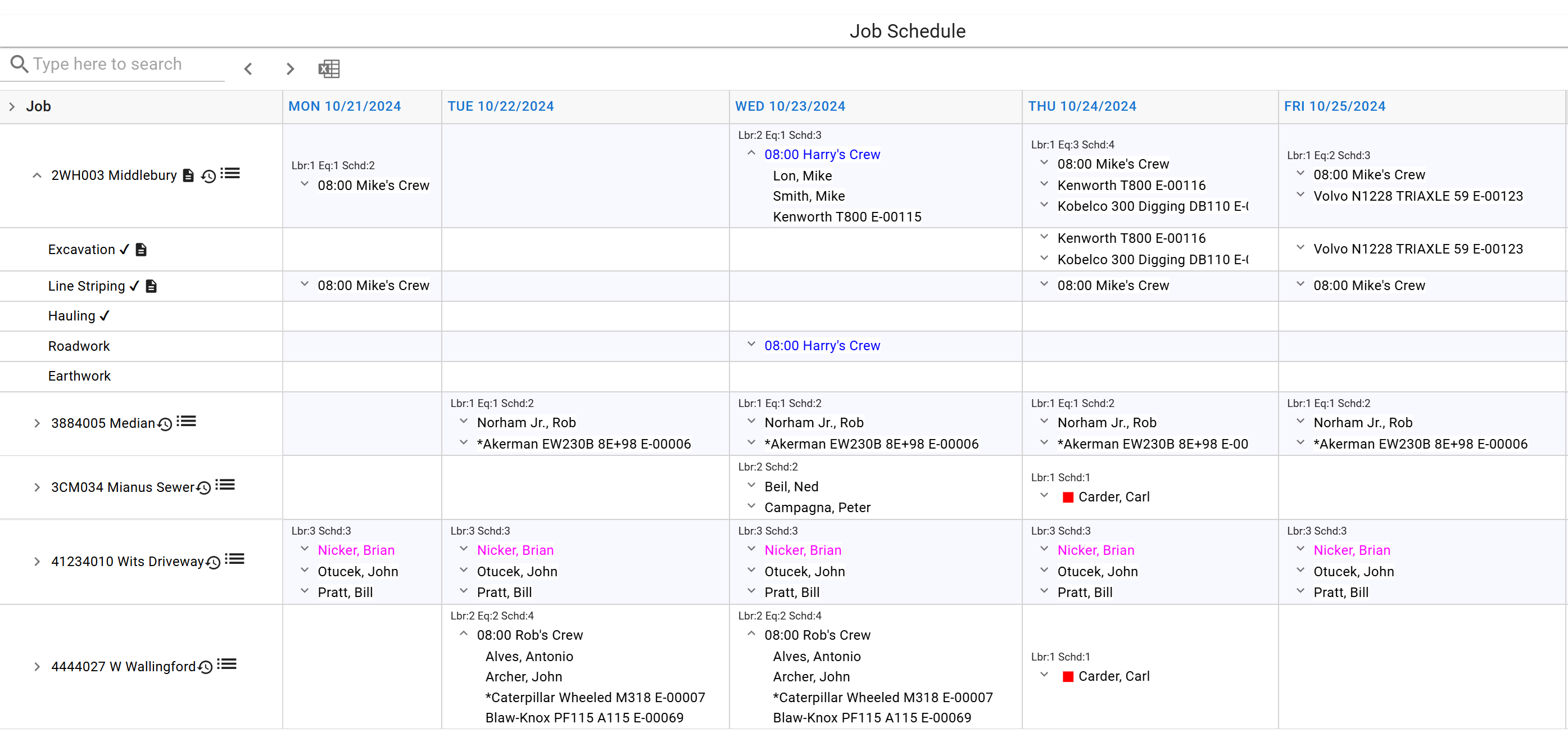
This is the minimum for any construction scheduling software. Whether you are onboarding your data from a spreadsheet or starting from scratch, ControlBoard® goes far deeper. We’ll take this same schedule, and add some metrics.
Add Some Metrics
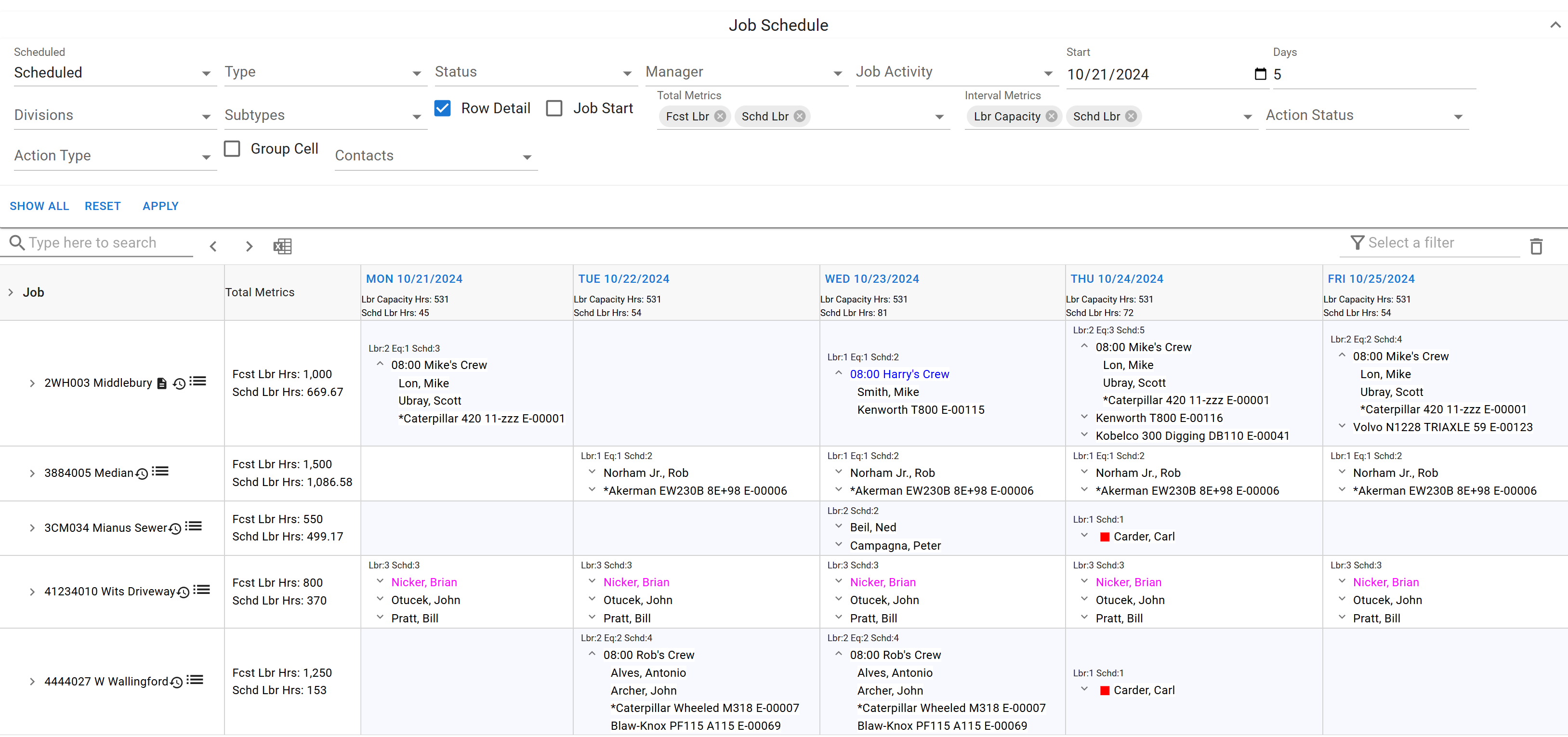
The picture becomes clearer. Immediately to the right of the jobs you see the metrics for each, forecasted vs. scheduled hours. Across the top, under each day, you see your total labor capacity vs. the labor capacity you’ve scheduled for each day. These are just a few of the many metrics ControlBoard® gives you to choose from. Change the schedule, and they update in real time.
Full-Blown Planning
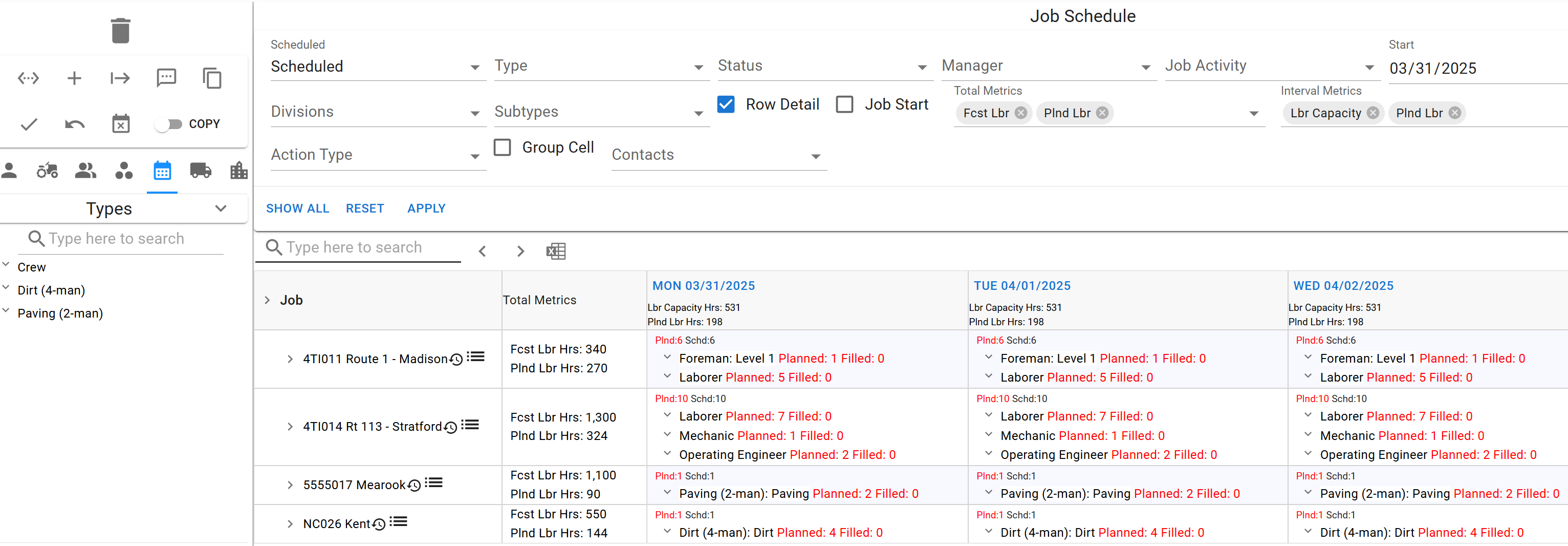
Metrics, along with generic allocations, allow you to plan as far as out as you like, months or even years in advance. Say you have some jobs that aren’t due to start for another few months. Having bid the jobs, you already know approximately the resources you’ll need. What you don’t know is what or who they will be. Generic allocations address the problem. Instead of scheduling a particular laborer, or crew, or piece of equipment, you schedule a placeholder, and fill it when you know exactly who or what will be doing the job.
Now we have a full schedule for April 2025. It’s a new set of jobs, of course, and instead of actual resources, we’ve scheduled generics. A generic allocation is created exactly like a standard resource allocation. Simply drag the generic type from the list at the left into the cell. Planned/Filled display in red, indicating that these have not yet been filled. When you fill them, by loading them with actual resources, they change to black, making it easy to see the holes you need to fill in your schedule. You can specify the number of resources of a particular type you need, such as the five laborers specified for the Madison job. You can also schedule crews generically, and the planned hours will reflect the make-up of the crew type you’ve defined. Planning also accounts for variability with Seasonal Shifts. If your crew hours or productivity change during the winter months, the metrics and labor capacity views update automatically to reflect this.
And you can evaluate available capacity on these future jobs exactly the same way you evaluated it in the near term. On the near-term jobs we wanted to see scheduled labor, actual resources. Here we’re looking at planned labor instead. But the picture is every bit as clear. ControlBoard® also includes graphing and other tools to view this data in virtually any form you’d like. For complex adjustments to your long-term plan, you can use Beast Mode to shift entire jobs or months forward with a single click. Contact us for a demo and we’ll show you more.