
More Crews, More Jobs, More Moving Parts
If you run multiple crews across multiple active jobs, your scheduling problem isn’t complexity — it’s communication. Construction crew scheduling software exists to solve exactly this: the schedule changes every day, someone calls out, equipment breaks down, a job runs long, weather moves the plan. By 6 AM your dispatcher is reshuffling three crews and hoping everyone gets the message before they leave the yard. The companies that do this well aren’t smarter. They have better construction employee scheduling software — systems built for reacting fast and making sure the field knows what changed.
Who Needs Construction Crew Scheduling Software Most
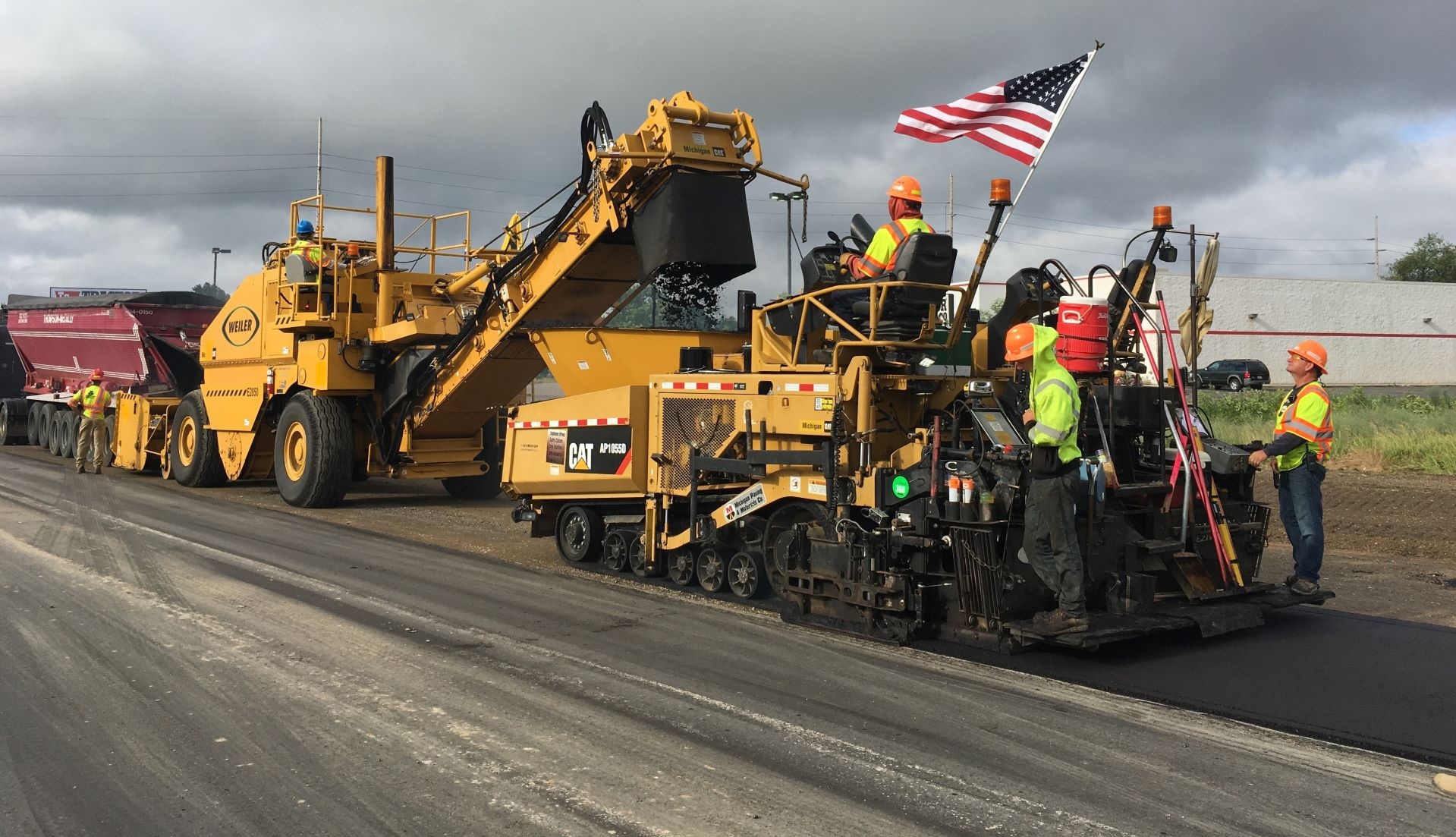
Crew-heavy scheduling isn’t unique to one trade, but some company types feel it more than others: Paving and asphalt — crews move between jobs daily, sometimes hitting two sites in one day. Sequencing and timing are everything because the plant is running whether you’re ready or not. Electrical and mechanical contractors — specialized crews with certification requirements. You can’t just swap people in. The system needs to know who is qualified for what. Underground and utilities — equipment-heavy crews where the machine and the operator are a package deal. Scheduling one without the other is a guaranteed field problem. Landscaping and site work — high crew count, tight geographic routing. Efficiency is about minimizing drive time as much as maximizing job time. General contractors managing subcontractor crews — you don’t control the crews directly, but you need visibility into who’s showing up and when. If your operation matches any of these patterns, scheduling software for construction crews isn’t a feature — it’s the entire point of the software.
The Real Problem Is Reacting
A static schedule is easy. Anyone can build a plan on Friday for the following week. The hard part is Monday at 5:30 AM when the plan meets reality. People rotate. A crew isn’t a fixed unit — it’s a configuration that changes based on availability, certifications, equipment needs, and the job. Your software needs to understand that moving one person creates a ripple across multiple crews and multiple jobs. Conflict detection isn’t optional here. It’s how you avoid sending half a crew to a job that needs the whole thing. Circumstances change hourly. Rain delays one job, a client moves a start date, an operator calls out sick. You need to rotate resources between crews quickly — reassign an operator here, move a machine there, pull a laborer from a crew that’s ahead of schedule. Bulk operations and drag-and-drop aren’t nice-to-haves. They’re how you survive the morning. The field needs to know immediately. Every change that happens in the office is worthless until the field knows about it. If your dispatcher makes a change at 6 AM but the crew doesn’t find out until they arrive at the wrong site, you’ve lost the morning.
Communication Is the Whole Game
This is where crew-heavy operations separate the tools from the toys. Dispatch from the schedule. When the plan changes, the update should go out to affected crews instantly — SMS, email, push notification. Not a phone call to the foreman who then calls his guys. The dispatch is the schedule. One action, one source, no translation. Two-way. Crews confirm assignments. They report when they arrive. They flag problems. If communication only flows from office to field, your dispatcher is still making phone calls every time they need an answer. No app required for the basics. When a crew member receives an SMS or email dispatch, they can confirm the assignment by clicking a link — no app download, no login, no training. That same link gives them access to safety forms, project documents, and equipment requests. This is especially powerful for occasional workforces — subcontractors, seasonal labor, anyone who won’t install an app for a two-week job. They’re part of the system from the first message. Foreman visibility. Your foremen don’t need to see the whole company’s schedule. They need to see their crew — who’s assigned, where they’re going, what equipment they have. Role-based views give each foreman exactly what they need without the noise of everyone else’s jobs. Foreman-managed timesheets. Your foremen know who worked and for how long — they’re standing right there. Let them submit time for their crew directly from the field. No chasing paper timesheets, no end-of-week guessing. Time data flows from the person who actually saw the work happen.
What ControlBoard’s Construction Labor Scheduling Software Does for Crew-Heavy Operations
- Every crew, every job, one screen. See all your crews and their assignments across all active jobs. Conflicts and over-allocations surface instantly.
- Drag-and-drop resource rotation. Move people and equipment between crews with a drag. The system flags conflicts before you create them.
- Built-in dispatch. Schedule changes go to the field via SMS and email directly from the board. Two-way — crews confirm and communicate back.
- Crew composition awareness. Schedule operators with their equipment. Track certifications. The system knows that a crew isn’t just headcount.
- Foreman and PM views. Role-based access shows each person exactly what they need. Foremen see their crew. PMs see their jobs. Dispatchers see everything.
- Foreman timesheets. Foremen submit time for their crew directly from the app. The person who saw the work records the hours — no paper, no lag, no payroll scramble.
- Native mobile apps, not a web wrapper. ControlBoard has dedicated Android and iOS apps — not a mobile website pretending to be an app. Native apps mean push notifications that actually work, offline reliability, and fewer support headaches. When your crews are on spotty cell service at a job site, that difference matters.
Want to see how it handles your crews?
"Scheduling made simple"
"You'll be amazed with the amount of features this software has. We got it for simple scheduling and continue to be surprised with what else it can do. If you need any support they always answer the phone and solve it immediately. Ease of use and customer support. Priced right for any size business. Drag and drop assets onto your schedule. Create tasks/jobs easily."
Dan L - Director of Services

"ControlBoard helps to enable further growth."
"Construction Crew Scheduling is much different than construction project scheduling. Control board offers a product that really doesn't exist anywhere else in the market. It's a super powerful tool able to forecast labor and equipment needs. You can really see your "pinch points". Self performing construction companies can only grow as big as they can manage their resources."
John B - PRESIDENT

"Tracking and Scheduling Jobs and Employees with ControlBoard"
"Overall the experience with ControlBoard has been great. We get excellent support when needed and it meets all of our scheduling needs. ControlBoard made it easy to import jobs from Sage 100 Contractor and assign employees to work on those jobs."