

Time and payroll
Hours from the field, approved once, sent to payroll
What you decide with it
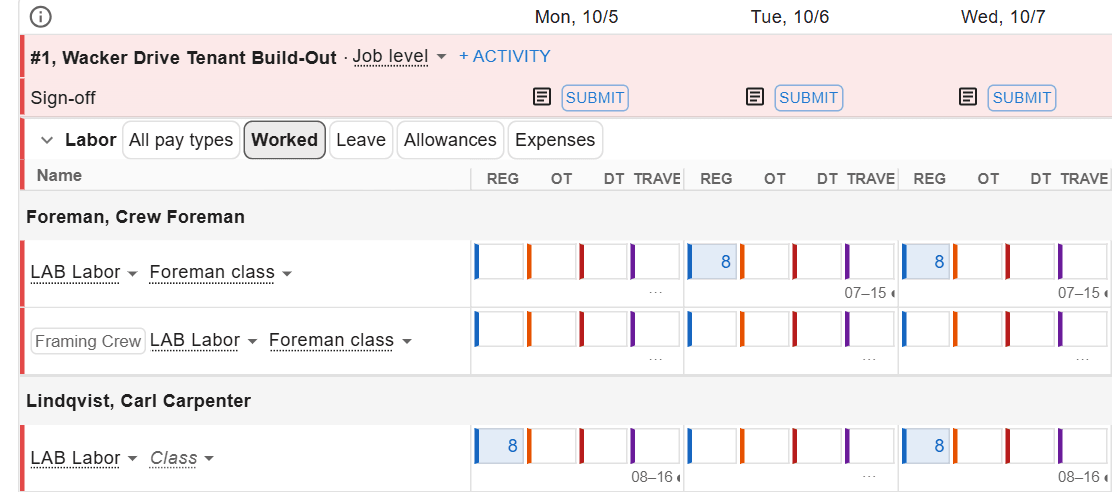
Decisions you make with it, not after it
Whose week is ready to approve
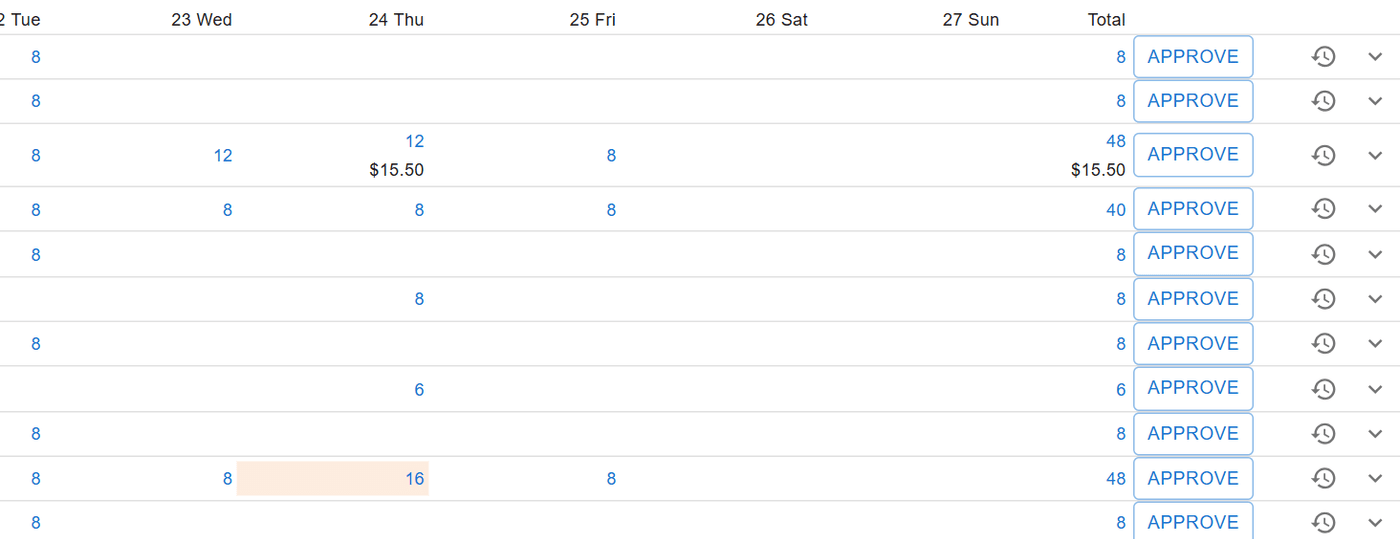
Each person’s week shows whether it is draft, submitted, reviewed, returned, approved or locked. A manager reviews; accounting approves, one person at a time.
What goes to payroll, and what waits
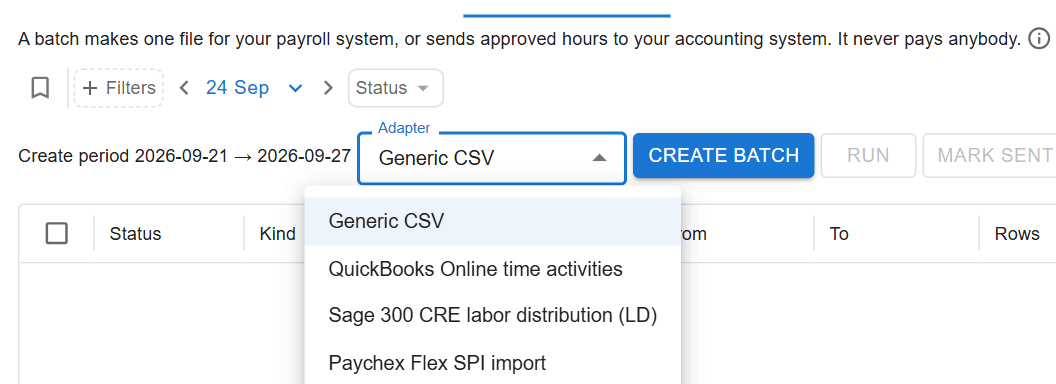
Only approved weeks go into a payroll batch, and anyone left out is named. Time approved later goes as a supplemental batch for just those people.
Whether the day's record is right
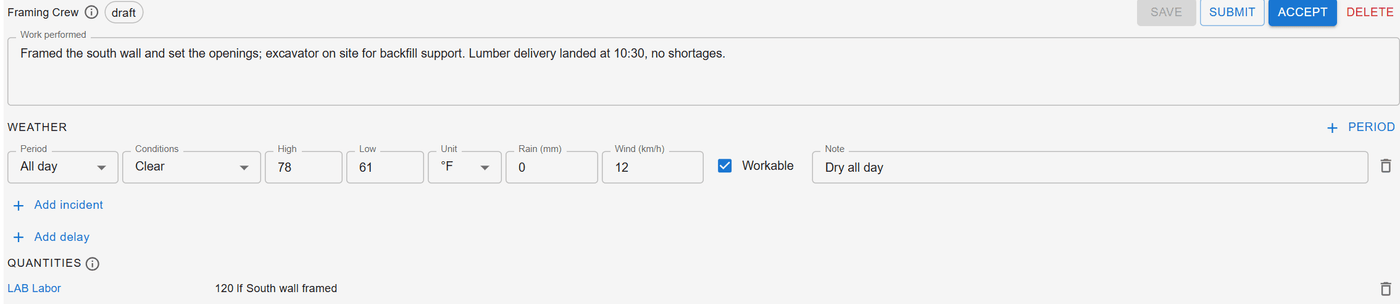
The office accepts each job’s daily log, with the work, weather, delays, quantities and photos. Accepting a log signs off the day without holding up payroll.
How it works
How it works
Punch or type, from the schedule
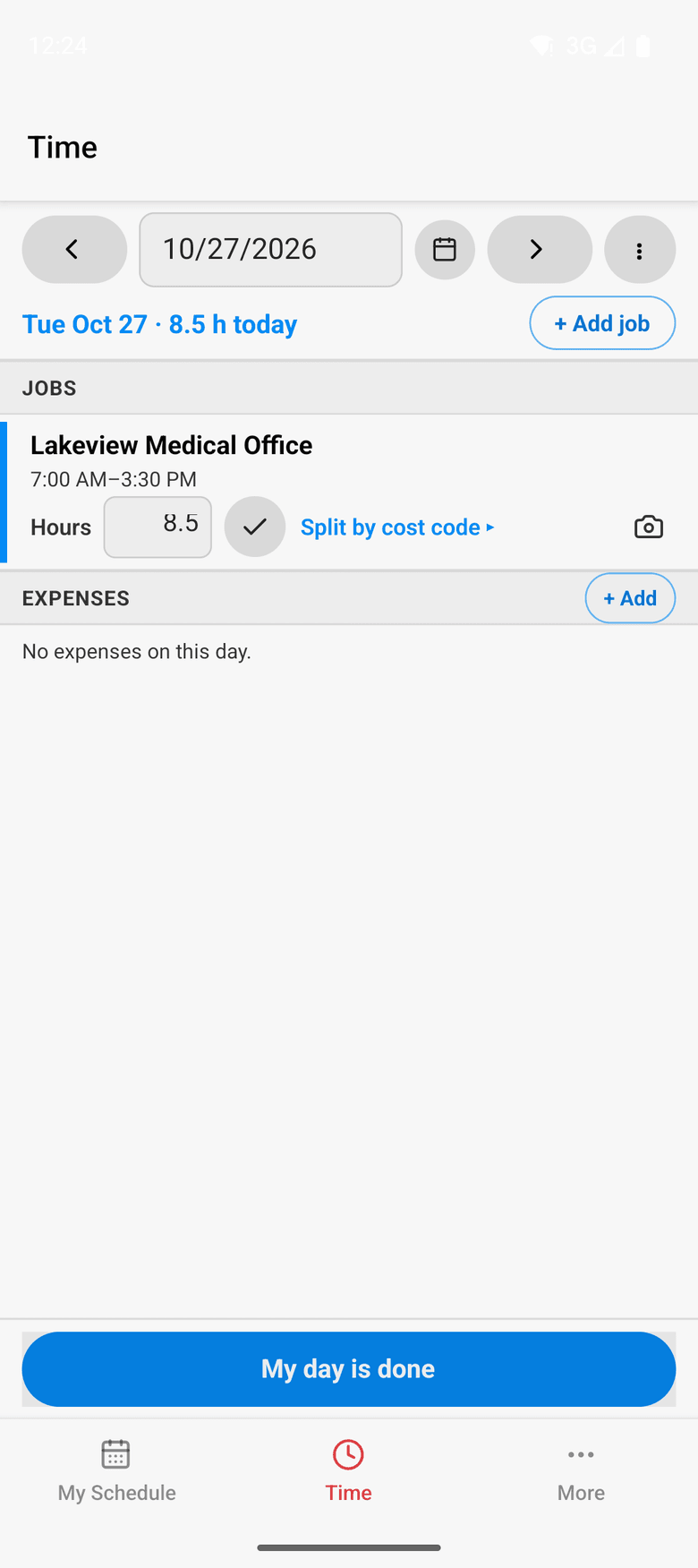
A worker’s scheduled jobs are already on the phone. They punch in and out or type hours, and can split a day between cost codes. A forgotten punch becomes a typed time the office reviews.
Location rules you set
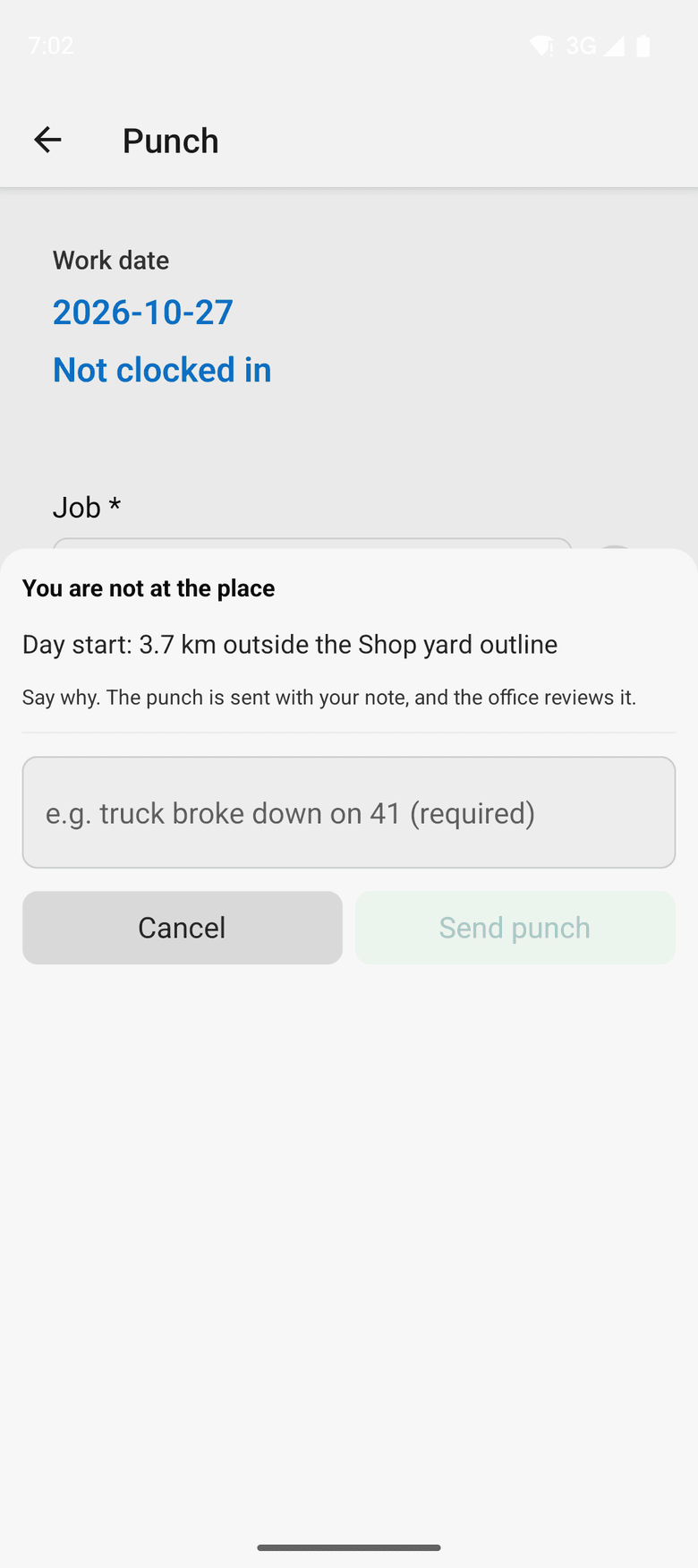
Location is read only at the punch, never in between. A weak signal never stops a punch. Away from the job the worker gives a reason, or your company can require punching on site.
The foreman's crew sheet
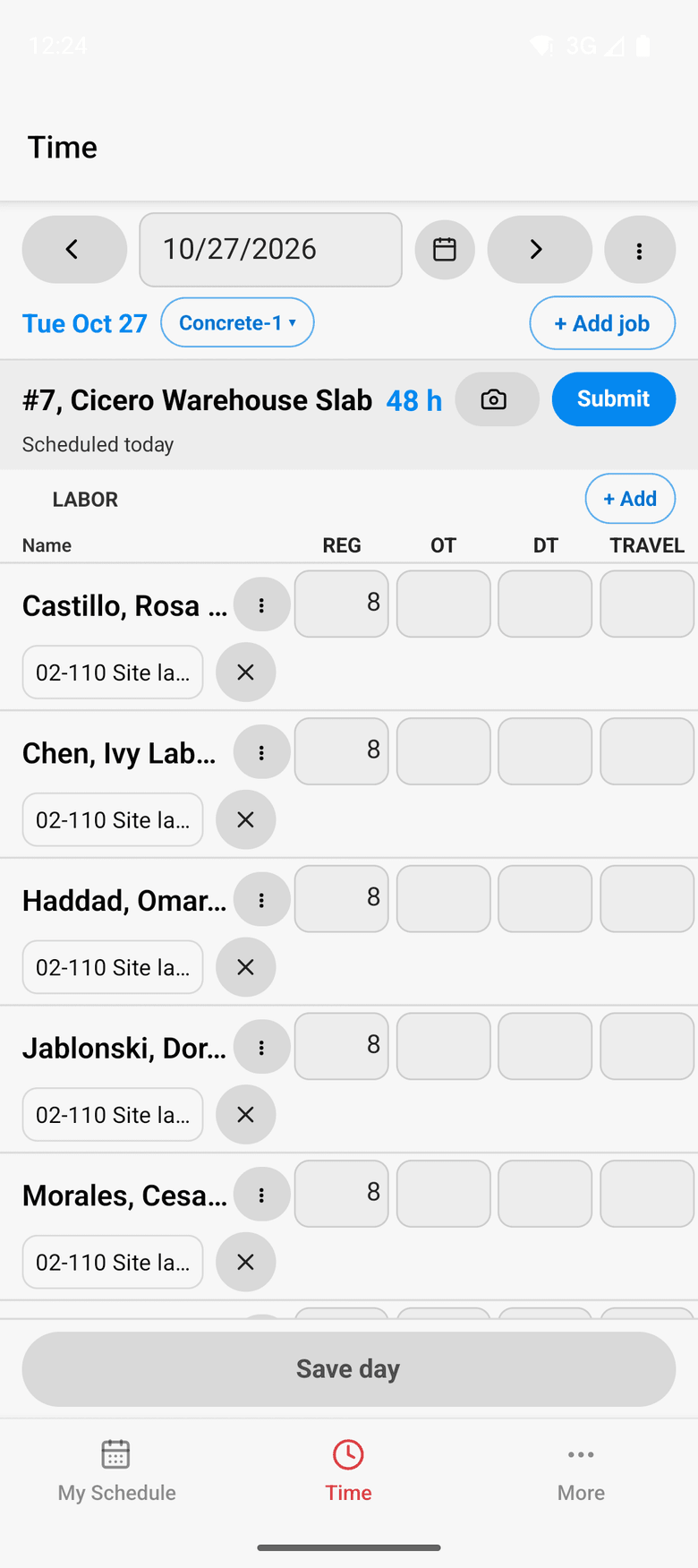
A foreman keeps the crew’s hours and daily log on one sheet, on the phone or in a browser, and submits the day. Supervisors and timekeepers keep time for everyone on their jobs.
Approve, lock and send
The office approves each week and creates the payroll batch. A sent week locks. A correction reopens it with a reason and goes out as a supplemental batch.
What ControlBoard does not do
ControlBoard does not run payroll or cut checks. It collects the hours, gets them approved and hands payroll a clean file, so your payroll service and your ledger stay as they are.
In the field
On the phone
Workers punch or type hours, add photos and expenses, and sign off their day. Foremen keep the crew sheet, and supervisors approve their people’s time. Without a signal, the day waits on the phone and goes later.
About ControlBoard Field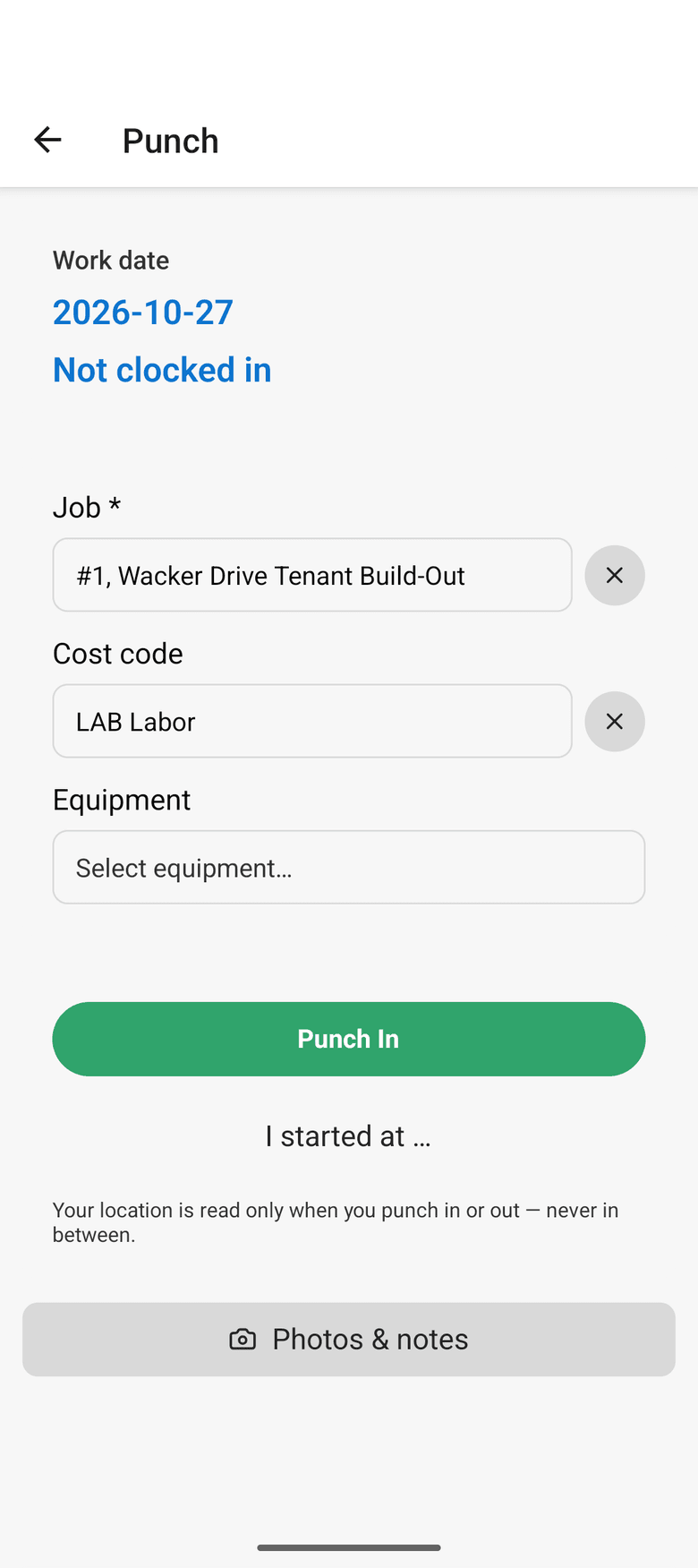
At a glance
Time and payroll in ControlBoard®
| Platforms | Web; ControlBoard Field for iPhone and Android |
|---|---|
| What it does | Collects punched or typed hours, approves each person’s week and makes the payroll file |
| Who uses it | Field workers, foremen, supervisors, payroll and accounting |
| Works with | Any payroll service by file; Paychex Flex and Sage 300 CRE layouts |
Updated
“We <3 CB!!!”
We like ControlBoard for it's efficiency. We love that it is able to streamline scheduling, payroll services, and job organization all in one program.
 Payton L, Office AdminPride Drywall
Capterra review, 05/22/2025
It stays in step with
Questions people ask about time and payroll
Common questions
How does ControlBoard handle GPS on punches?
Can a foreman enter time for the whole crew in ControlBoard?
How is time approved in ControlBoard before payroll?
Which payroll systems does ControlBoard work with?
More of ControlBoard
Scheduling
Labor, crews, equipment, subcontractors and material on one board, against each job's needs.
Dispatch and the field
The schedule to every phone by text, email or app, replies on the job's thread, trips and moves.
Job cost
Budget, cost to date, committed, scheduled, cost to complete and projected final, by cost code.
Labor planning
Forecast hours and heads per job, the company labor plan, plan health and the booklet.
Equipment and compliance
Licenses and certifications, service plans, GPS, rentals with return due, and the tool crib.
Forms and daily logs
Your own forms and permits, the hazard library, and a daily log for every job-day.
Project management
RFIs and submittals with ball in court, job documents, and My PM work across every job.
Bid to schedule
HeavyBid, B2W or Excel bid in, lines mapped to work packages, budget and needs built in one step.
Assistant
Answers from the help and your company's data, a brief for each screen, and forms from paper.