

Scheduling
Every job's needs and every person and machine, on one board
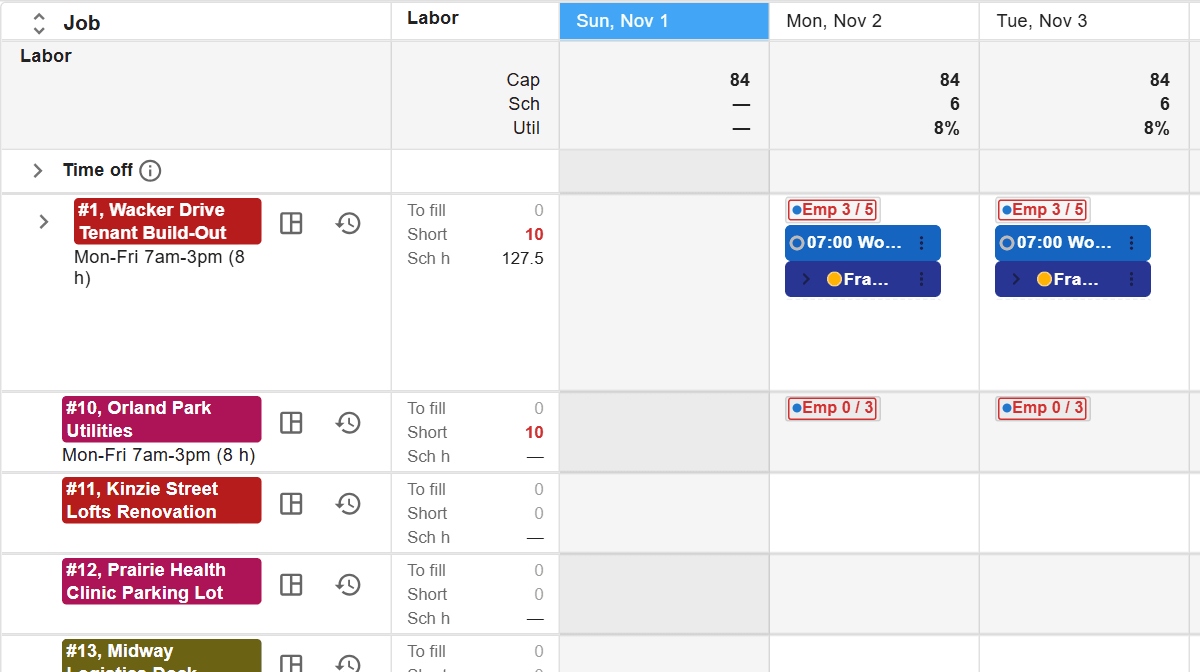
What you decide with it
Decisions you make with it, not after it
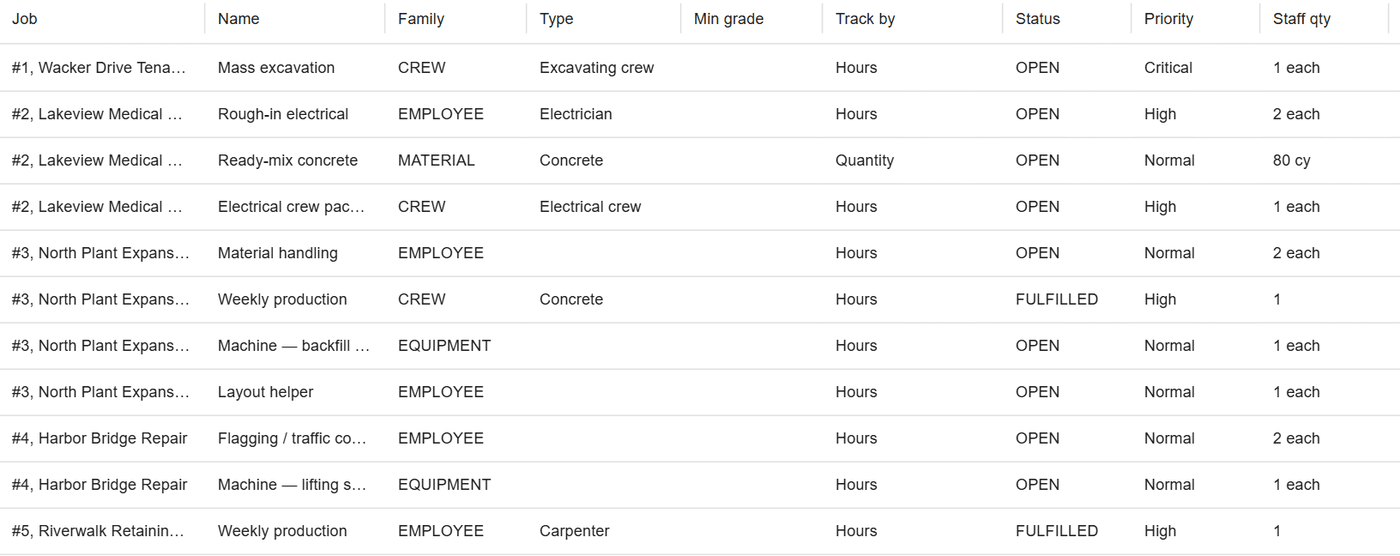
Who fills each open need
Each need says what a job is waiting on, how many and for which days. Drop a person or machine on it, and the board shows what is still open.
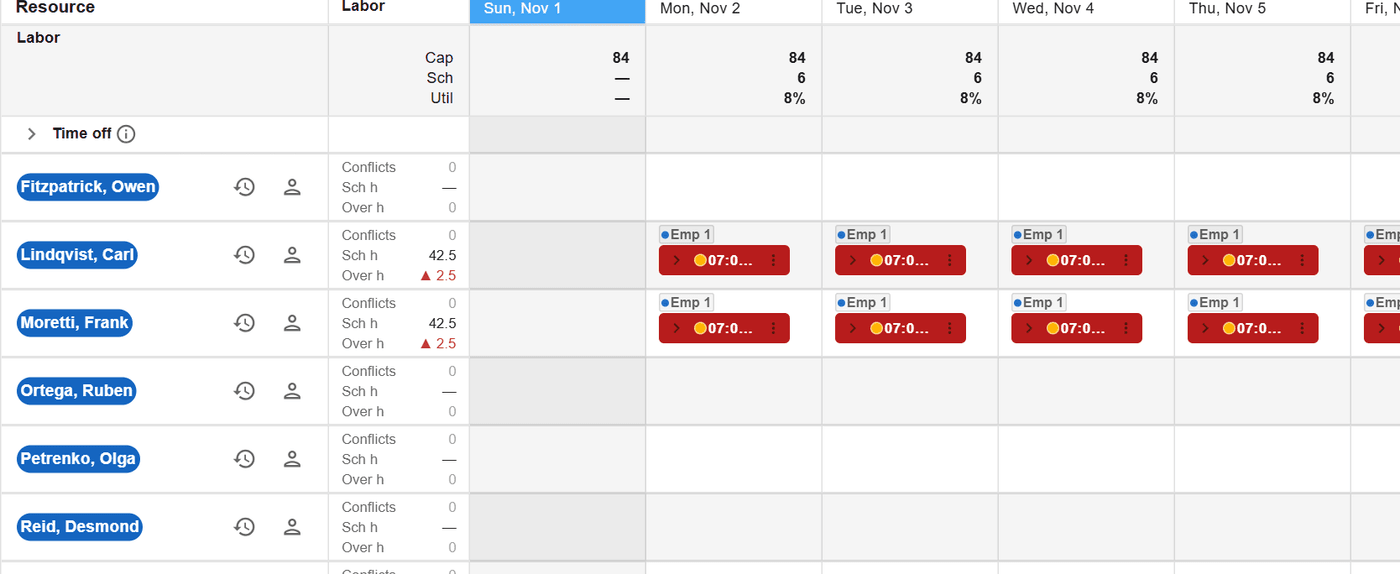
Who is free, and who is scheduled twice
The resource board lists each person and machine by day, with time off in view. A day scheduled in two places is marked before anyone drives to the wrong job.
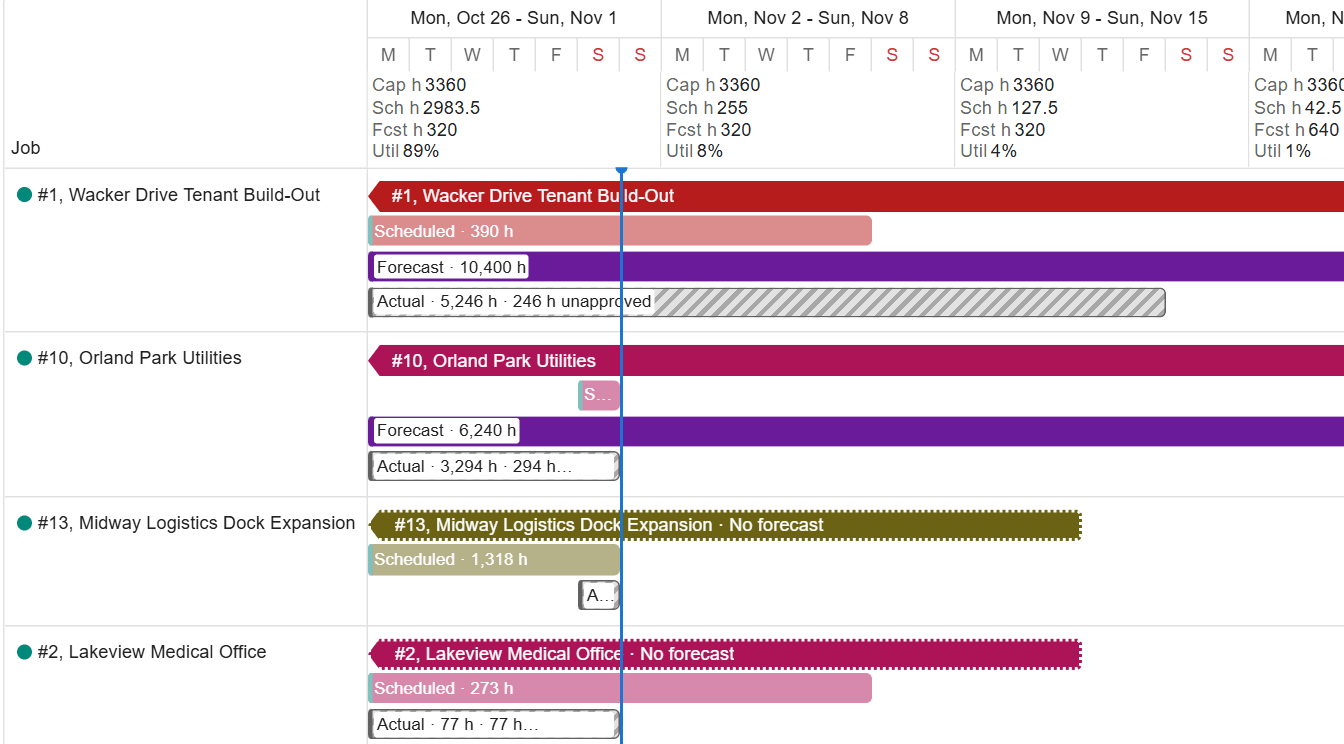
Which job can move a week
The timeline shows whole jobs as bars, with capacity beneath. Slide a job and its scheduled work and needs move with it, or try the move as a draft first.
How it works
How it works
Jobs and resources come in
Jobs, people, equipment, crews and subcontractors come from your accounting system, the import workbook or the API. A new job or resource can be added from any schedule page without leaving it.
Needs set the target
Each job lists what it needs by type, for a window, by hours or by quantity, priced from the rate card. A need counts only the days the job’s shift works and skips company holidays.
The board warns as you drop
Drag a person or machine onto a job’s day, or a job onto a person’s day. A conflict is marked at once, and where a job needs a license, the board warns before someone without it lands there.
Everyone works on the same board
Each change shows for everyone looking as soon as it is saved, so two schedulers never hand out the same machine. Undo takes back a recent change, and the history is kept.
A crew schedule, not a project schedule
A project schedule sequences tasks. A labor and equipment schedule answers a different question: which person and which machine are on which job, on which day, and what is still missing. ControlBoard keeps that answer on one board, with its history, so last month’s schedule is still there when someone asks where a crew was.
In the field
Each person sees it on the phone
ControlBoard Field shows each person their own jobs, who else is on them, the start and the directions. Supervisors can also schedule from the phone.
About ControlBoard Field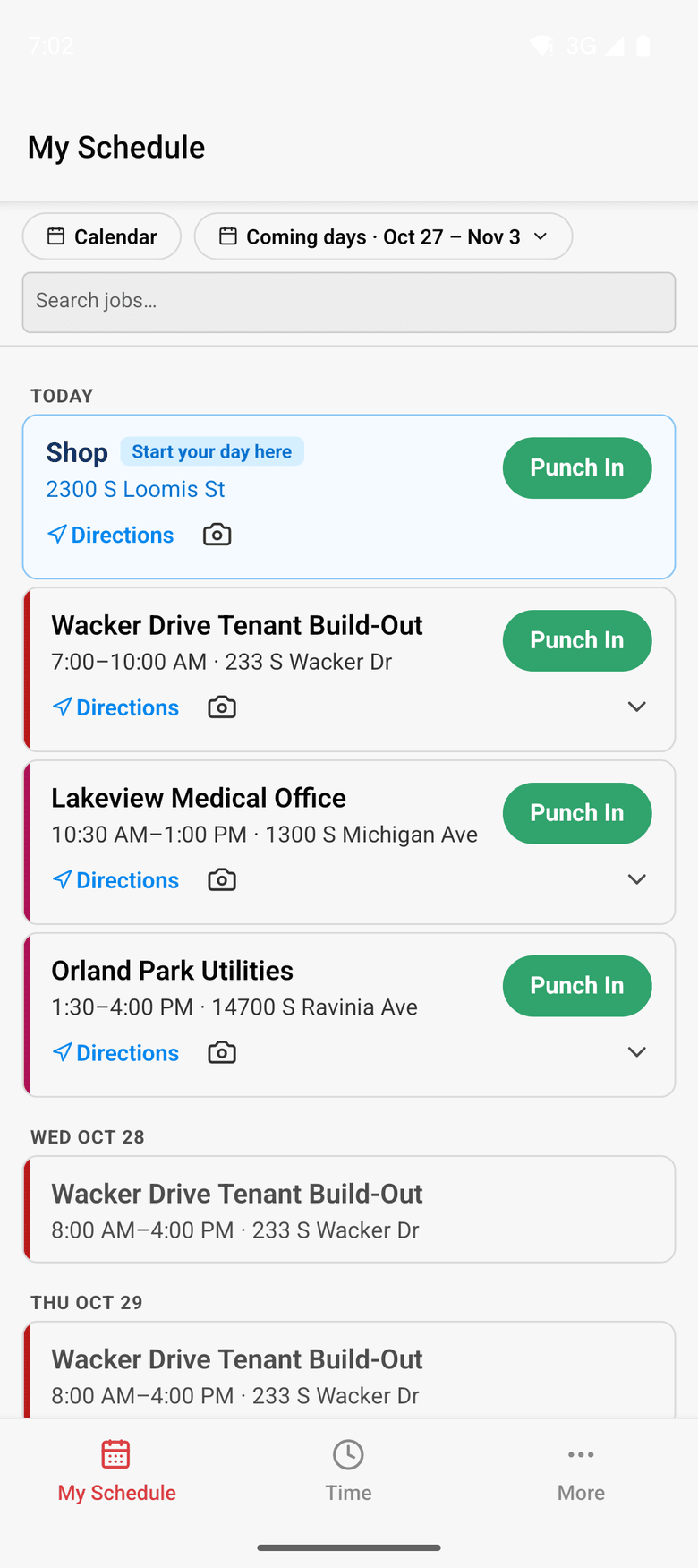
At a glance
Scheduling in ControlBoard®
| Platforms | Web; ControlBoard Field for iPhone and Android |
|---|---|
| What it does | Schedules labor, crews, equipment, subcontractors and material against each job’s needs |
| Who uses it | Schedulers, dispatchers and project managers |
| Works with | QuickBooks Online, Sage Intacct, the import workbook and the ControlBoard API |
Updated
“Very helpful staff”
We use this software for our scheduling. It is easy to see every crew and resource and job on the same menu which really helps us put together schedules for the next few weeks.
 Brenden V, PresidentProMax Fence
Capterra review, 03/05/2022
It stays in step with
Questions people ask about scheduling
Common questions
Can ControlBoard schedule labor and equipment on the same board?
How does ControlBoard show what a job still needs?
Can several schedulers work on the ControlBoard schedule at once?
How do we get our jobs and people into ControlBoard?
More of ControlBoard
Dispatch and the field
The schedule to every phone by text, email or app, replies on the job's thread, trips and moves.
Time and payroll
Punch or type hours, the foreman's crew sheet, the office week, approve and lock, the payroll file.
Job cost
Budget, cost to date, committed, scheduled, cost to complete and projected final, by cost code.
Labor planning
Forecast hours and heads per job, the company labor plan, plan health and the booklet.
Equipment and compliance
Licenses and certifications, service plans, GPS, rentals with return due, and the tool crib.
Forms and daily logs
Your own forms and permits, the hazard library, and a daily log for every job-day.
Project management
RFIs and submittals with ball in court, job documents, and My PM work across every job.
Bid to schedule
HeavyBid, B2W or Excel bid in, lines mapped to work packages, budget and needs built in one step.
Assistant
Answers from the help and your company's data, a brief for each screen, and forms from paper.