

Project management
RFIs and submittals on the same job as the schedule
What you decide with it
Decisions you make with it, not after it
Who has the ball
Every RFI and submittal shows its status, its current step and who has the ball in court, so a late answer has a name on it.
What is past due on the job
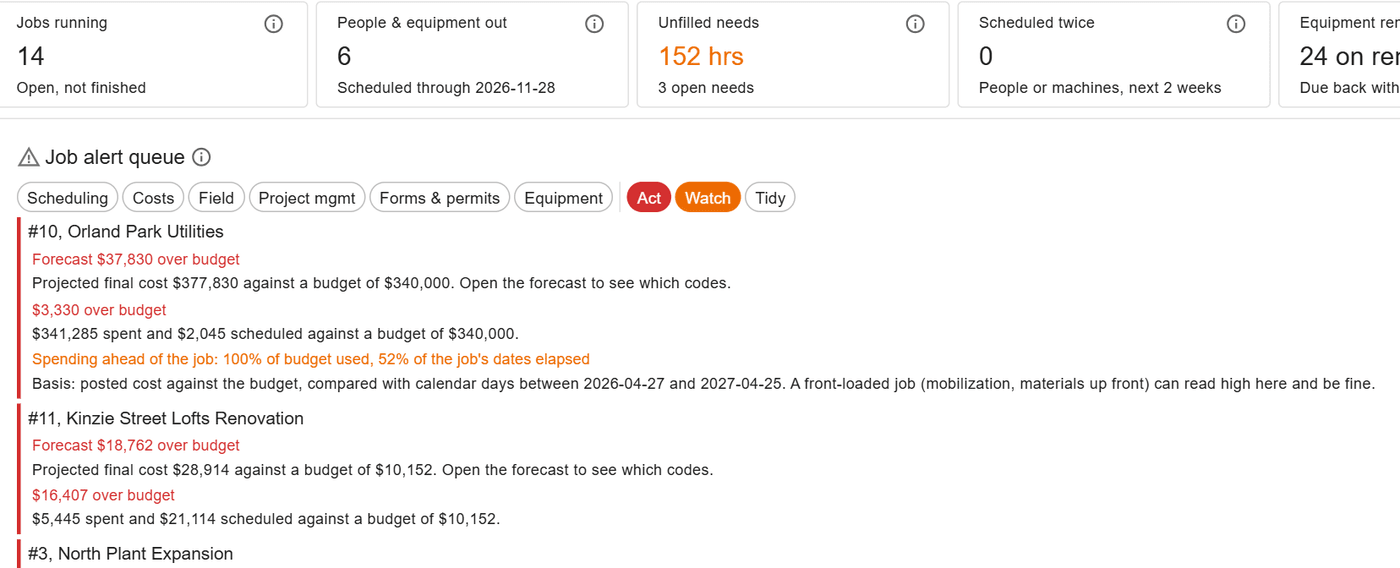
The job alert queue lists past-due RFIs and submittals beside open needs, hours to approve and cost alerts, so the project manager sees the job’s problems together.
What is waiting on you today
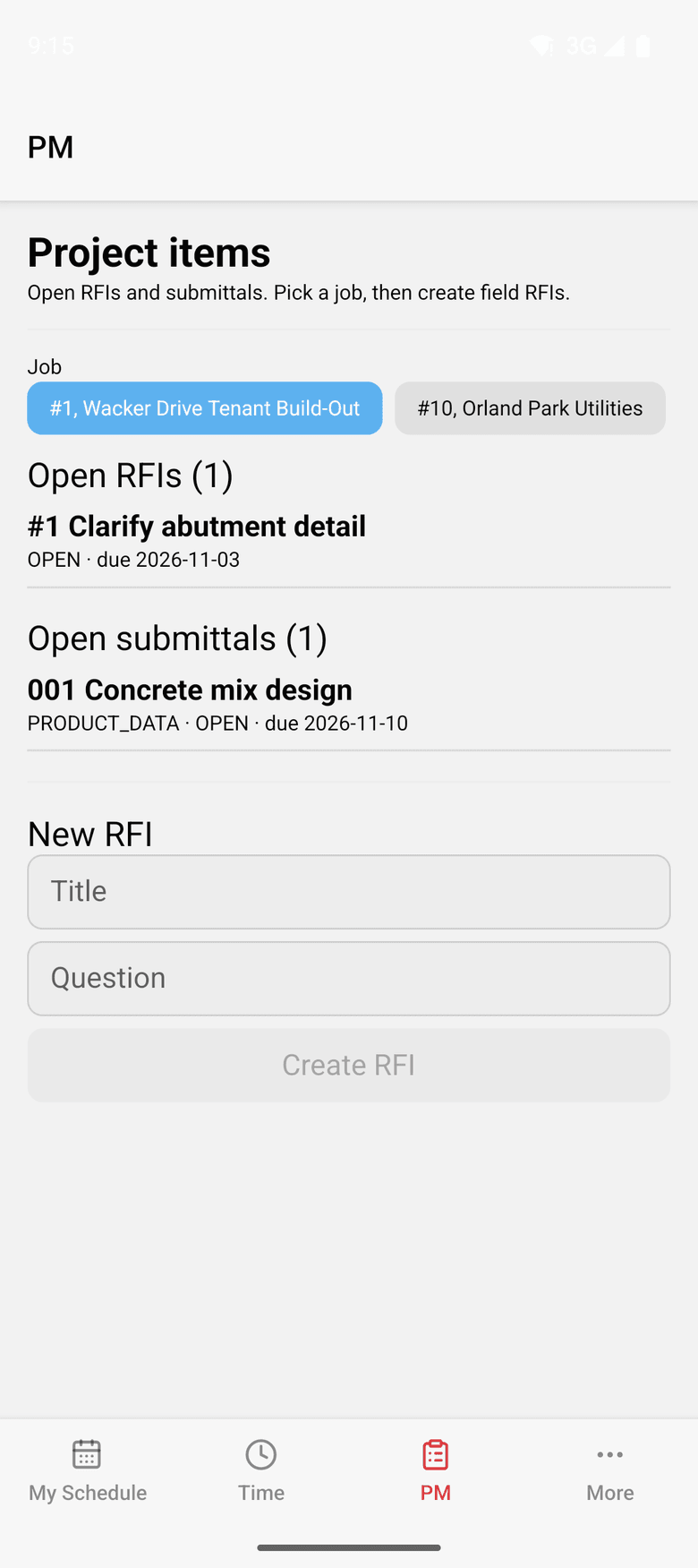
My PM work gathers the open RFIs and submittals where the ball is in your court or a review step is yours, across every job.
How it works
How it works
Log it on the job
RFIs and submittals are logged against the job, with revisions, files and the job’s contacts. Their files also appear in the job’s documents.
Route the review
Review steps run in order and move the ball in court as they go. An RFI closes only with an official response and no step still waiting.
Bring in the outside reviewer
Owners and consultants are added as job contacts and reach their steps through a secure link, completing only the steps assigned to them. A stamp returned outside ControlBoard can be recorded too.
Keep documents in order
Each document type adds a folder to every job, person, machine and company. A folder can be kept to the people allowed to see it, such as HR or payroll.
In the field
PM on the phone
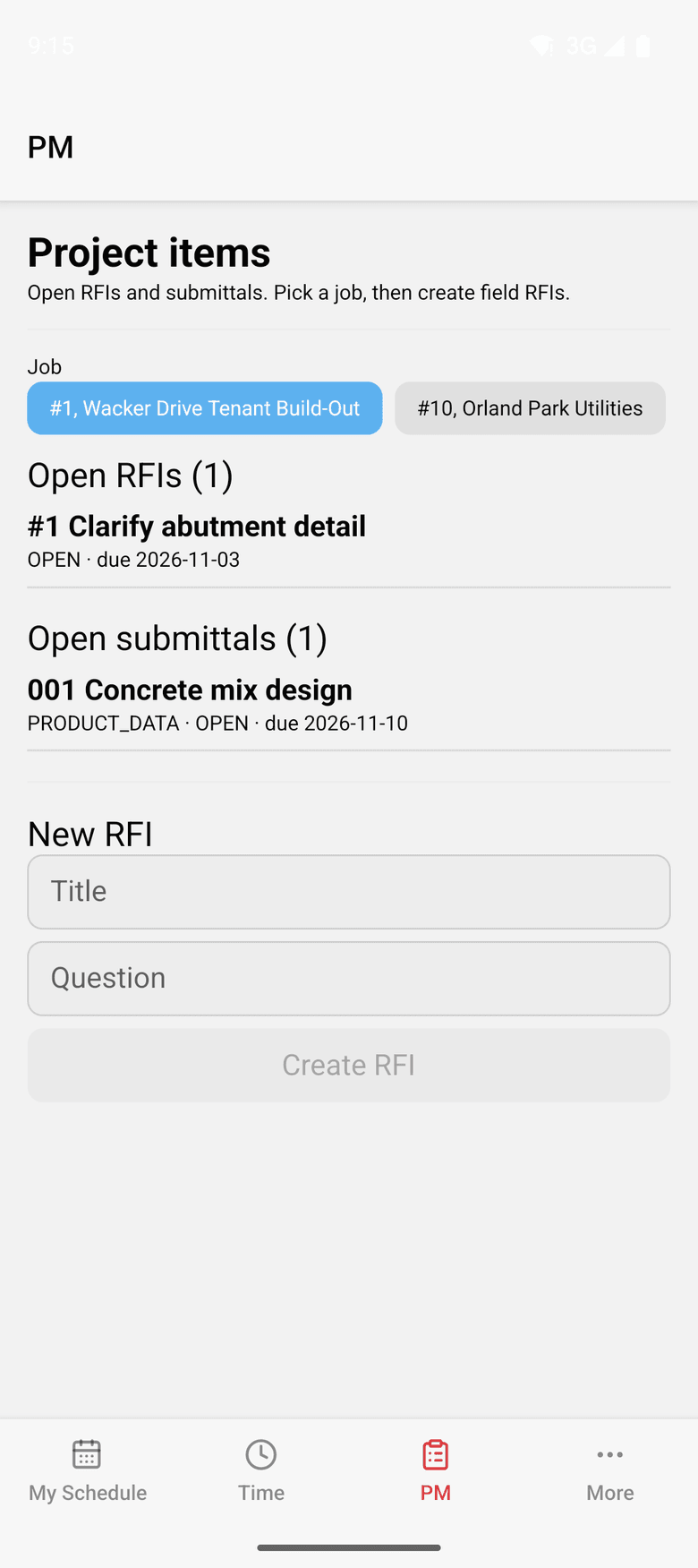
Field users at a company with project management see their PM work in ControlBoard Field, beside their schedule and their time.
About ControlBoard FieldAt a glance
Project management in ControlBoard®
| Platforms | Web; ControlBoard Field for iPhone and Android |
|---|---|
| What it does | RFIs, submittals, job documents, My PM work and a secure link for outside reviewers |
| Who uses it | Project managers, engineers, owners and consultants |
| Works with | The job’s schedule, contacts and cost in ControlBoard |
Updated
It stays in step with
Questions people ask about project management
Common questions
Does ControlBoard track ball in court on RFIs and submittals?
Can an owner or engineer review a submittal in ControlBoard?
Where do job documents live in ControlBoard?
Why keep RFIs in the same system as the schedule?
More of ControlBoard
Scheduling
Labor, crews, equipment, subcontractors and material on one board, against each job's needs.
Dispatch and the field
The schedule to every phone by text, email or app, replies on the job's thread, trips and moves.
Time and payroll
Punch or type hours, the foreman's crew sheet, the office week, approve and lock, the payroll file.
Job cost
Budget, cost to date, committed, scheduled, cost to complete and projected final, by cost code.
Labor planning
Forecast hours and heads per job, the company labor plan, plan health and the booklet.
Equipment and compliance
Licenses and certifications, service plans, GPS, rentals with return due, and the tool crib.
Forms and daily logs
Your own forms and permits, the hazard library, and a daily log for every job-day.
Bid to schedule
HeavyBid, B2W or Excel bid in, lines mapped to work packages, budget and needs built in one step.
Assistant
Answers from the help and your company's data, a brief for each screen, and forms from paper.