

Job cost
Know the final cost before the month closes
What you decide with it
Decisions you make with it, not after it
Which jobs are heading over budget
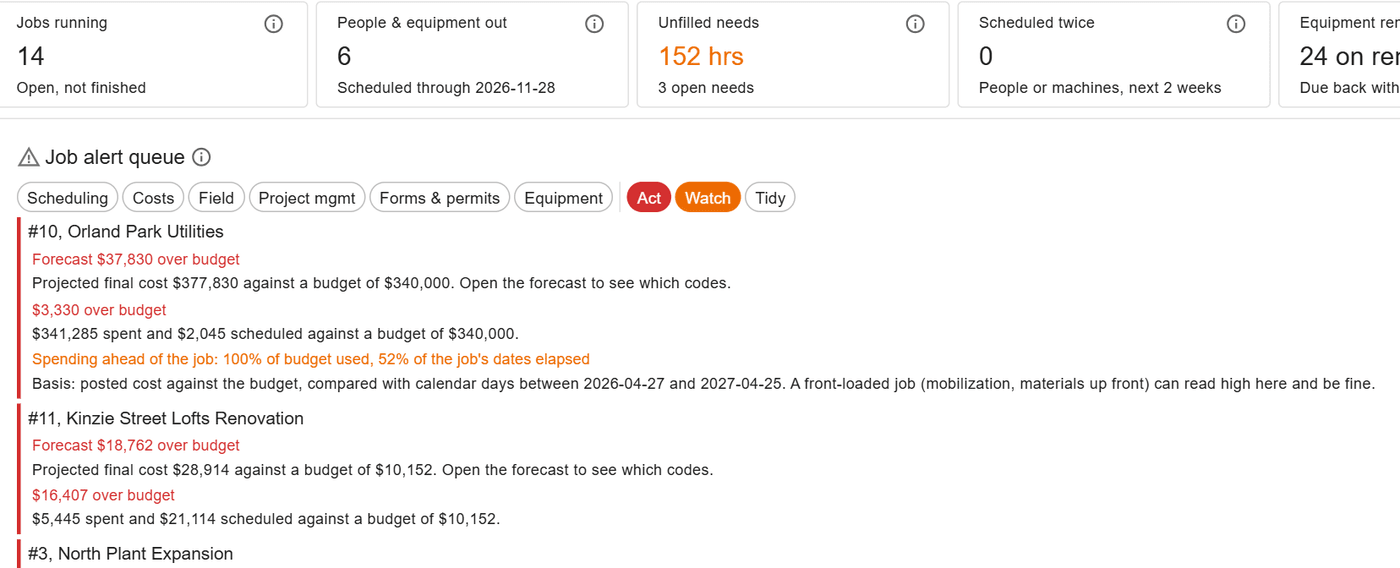
The alert queue ranks jobs spending over budget or ahead of their dates beside the day’s other decisions, so a cost problem is seen while it can still be fixed.
Where the budget came from
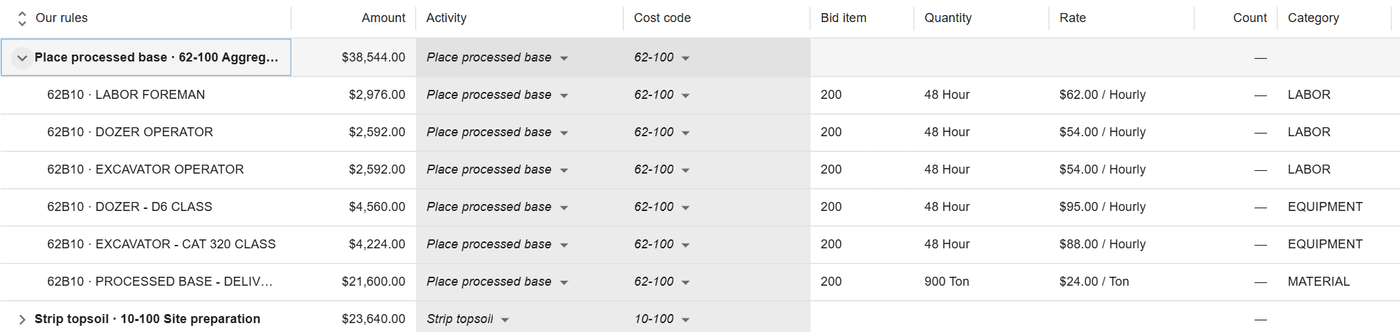
A budget is built from the estimate, line by line, or entered by hand. It stays live, it foots to the bid, and hand edits win.
What each unit of work cost
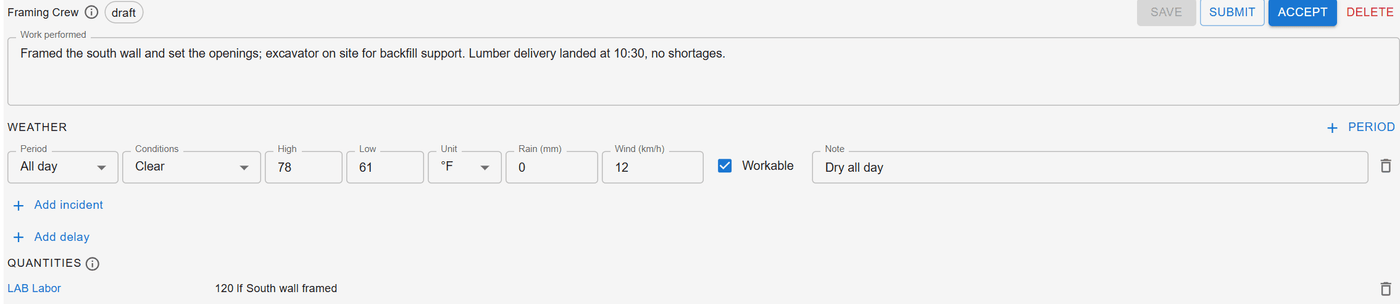
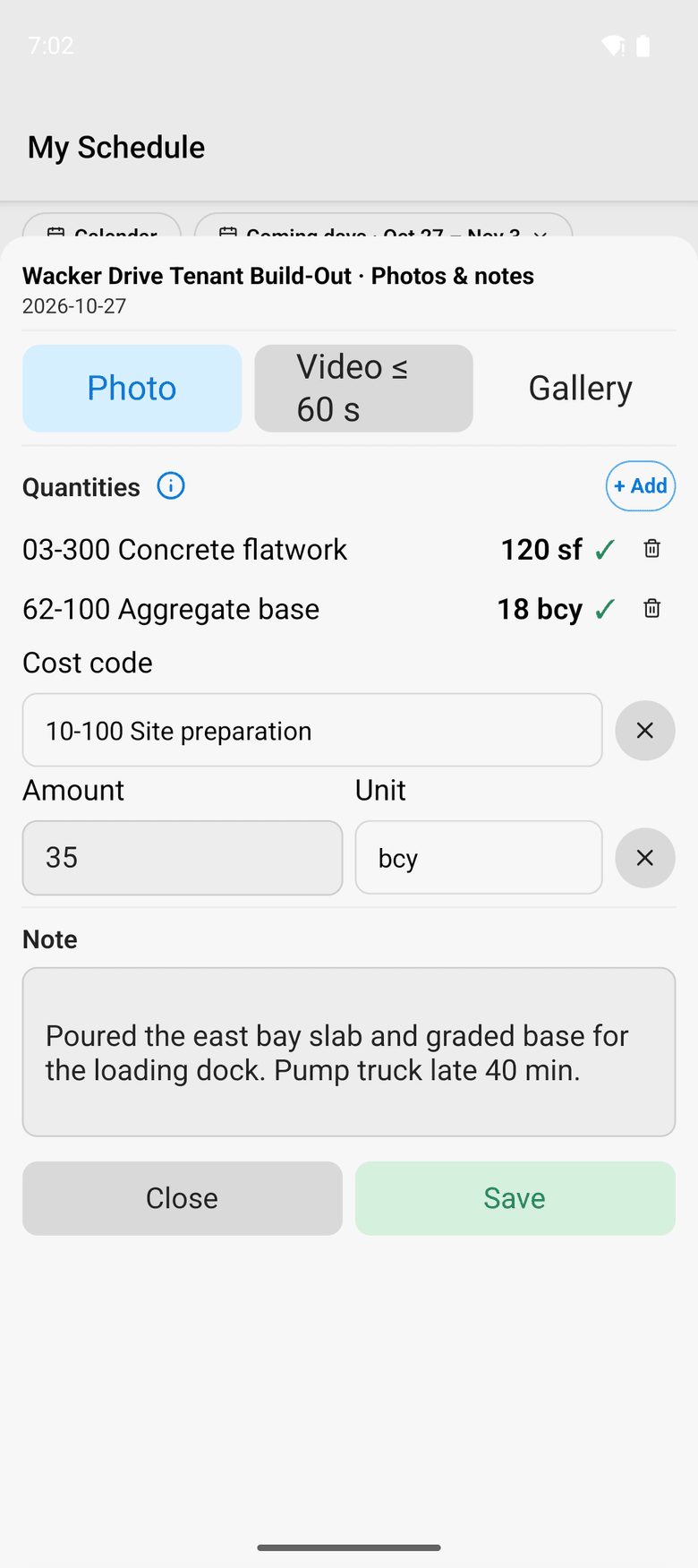
The daily log divides a crew’s cost on a cost code by the quantity it put in place that day, so unit cost is known day by day.
How it works
How it works
Cost codes and rate cards
Cost codes come from your accounting system or a spreadsheet. Rate cards price each type of labor and equipment, a job can override them, and approved hours and machine time are costed from them.
Accounting balances through the close
Where your accounting system owns a cost category, its balances by cost code come in through the last close, entered or imported. ControlBoard’s own costs after the close show apart as pending.
Committed and scheduled cost
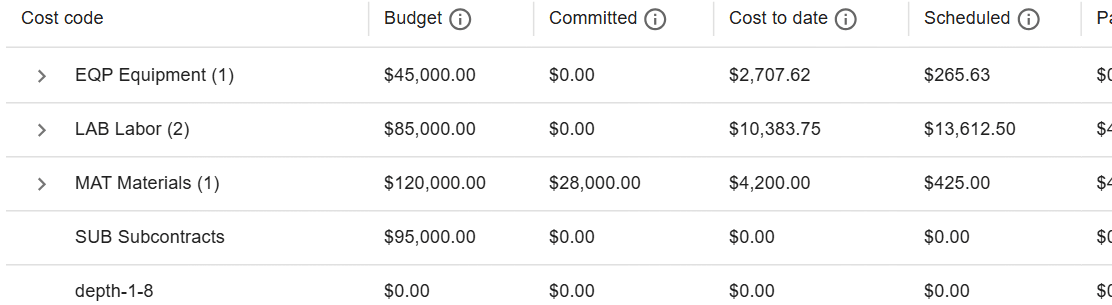
Purchase orders and subcontracts count as committed. Work still on the schedule is priced from the rate cards, and cost to complete never falls below what is already signed for.
Projected final, by cost code
Projected final is cost to date plus cost to complete, by cost code, with the variance against budget. A project manager can type their own cost to complete where they know better.
Between closes
Accounting closes the month; the job does not wait for it. ControlBoard keeps the books’ figure through the last close and adds the time and costs recorded since, so a project manager reads one number in the middle of the month and knows which part the ledger has already confirmed.
In the field
From the field
Hours, machine time and quantities from the crew sheet and the daily log feed cost to date and unit cost as soon as the office approves them.
About ControlBoard Field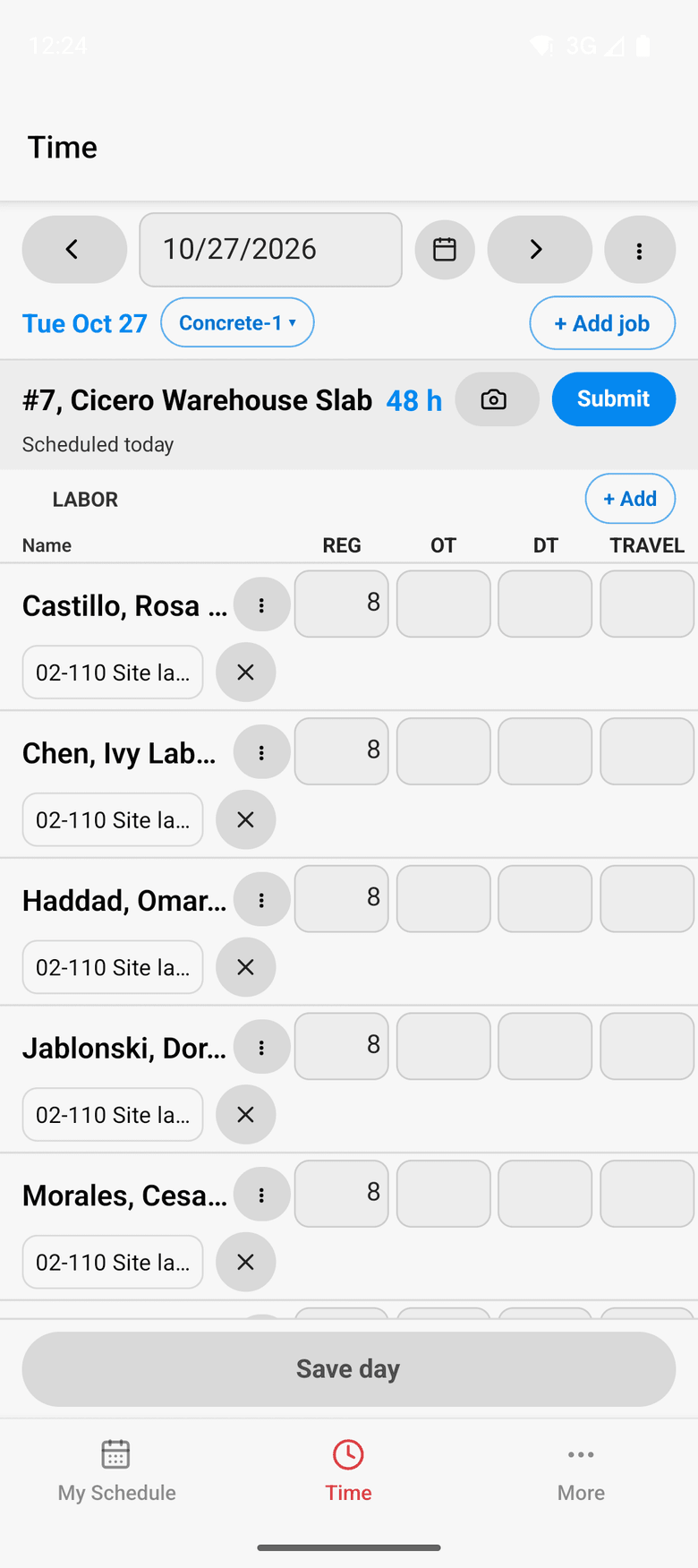
At a glance
Job cost in ControlBoard®
| Platforms | Web |
|---|---|
| What it does | Budget, committed, cost to date, scheduled, cost to complete and projected final, by cost code |
| Who uses it | Project managers, controllers and owners |
| Works with | Sage 300 CRE job-to-date cost; budgets from HCSS HeavyBid or an Excel bid |
Updated
It stays in step with
Questions people ask about job cost
Common questions
How does ControlBoard calculate projected final cost?
Does ControlBoard replace the job cost reports in our accounting system?
Where does a job's budget come from in ControlBoard?
Can ControlBoard show unit cost by cost code?
More of ControlBoard
Scheduling
Labor, crews, equipment, subcontractors and material on one board, against each job's needs.
Dispatch and the field
The schedule to every phone by text, email or app, replies on the job's thread, trips and moves.
Time and payroll
Punch or type hours, the foreman's crew sheet, the office week, approve and lock, the payroll file.
Labor planning
Forecast hours and heads per job, the company labor plan, plan health and the booklet.
Equipment and compliance
Licenses and certifications, service plans, GPS, rentals with return due, and the tool crib.
Forms and daily logs
Your own forms and permits, the hazard library, and a daily log for every job-day.
Project management
RFIs and submittals with ball in court, job documents, and My PM work across every job.
Bid to schedule
HeavyBid, B2W or Excel bid in, lines mapped to work packages, budget and needs built in one step.
Assistant
Answers from the help and your company's data, a brief for each screen, and forms from paper.