

Forms and daily logs
The site record without the paperwork
What you decide with it
Decisions you make with it, not after it
What every form asks
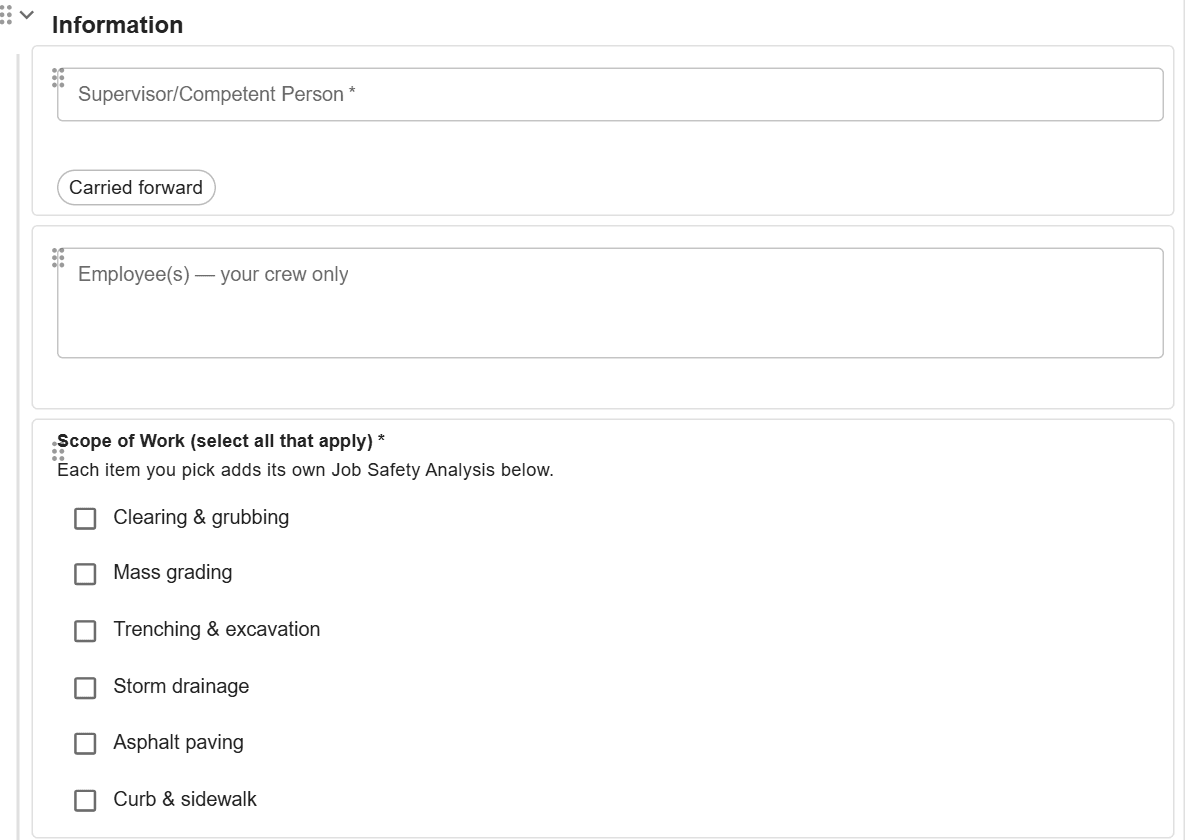
Build each form from your own questions, with signatures, lists and job details carried to the next filing. A filed form keeps its questions as they were asked.
Whether the day was recorded
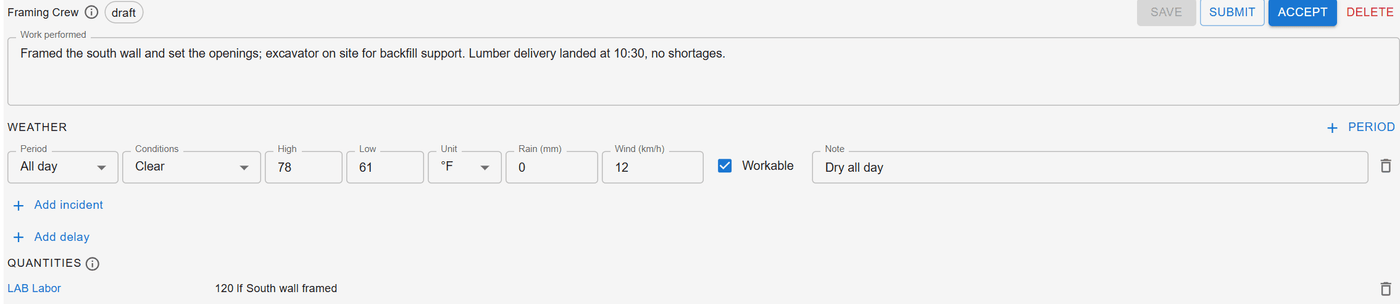
Each job-day’s log shows the work, weather, delays, incidents, quantities and photos. The office accepts it, or returns it with what to fix.
Which permits and logs are still open
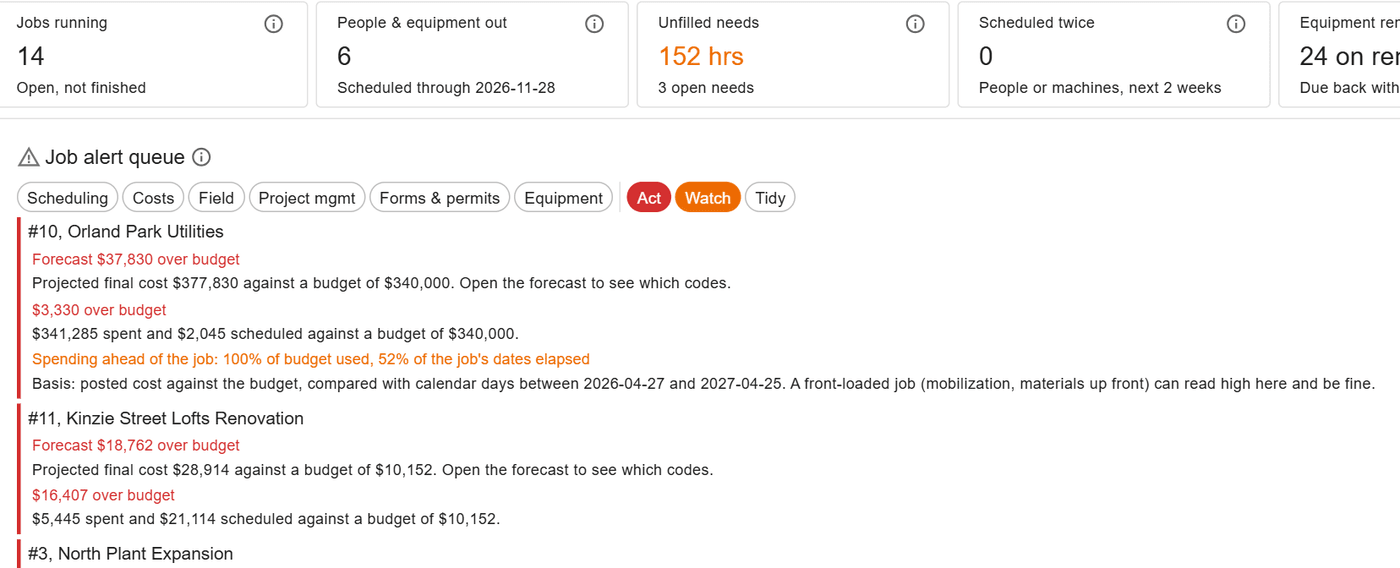
The job alert queue lists permits and forms still open, and scheduled days with no daily log, so a gap is chased that week, not at closeout.
How it works
How it works
Build or import the form
Write the questions yourself, import a set of forms from a file, or have the assistant draft one from a PDF of the paper form. Every draft waits in the editor for a person to save it.
Permits with an open and a close
A permit opens on the job with its valid-to time, shows as expired until it is closed, and asks its closing questions of whoever closes it.
Hazards named fresh each time
The hazard library holds your tasks, hazards and controls, with a risk rating before and after controls. Hazard analyses and daily briefings pick from it and start empty each time.
The daily log beside the hours
The foreman writes the log beside the crew’s hours. Quantities by cost code give each crew’s unit cost, and accepting the log never changes hours or pay.
In the field
From the phone
The foreman adds photos, video, notes and quantities to the day’s log in ControlBoard Field, and each photo goes as soon as there is a signal. Anyone can fill a form from the link it was sent with.
About ControlBoard Field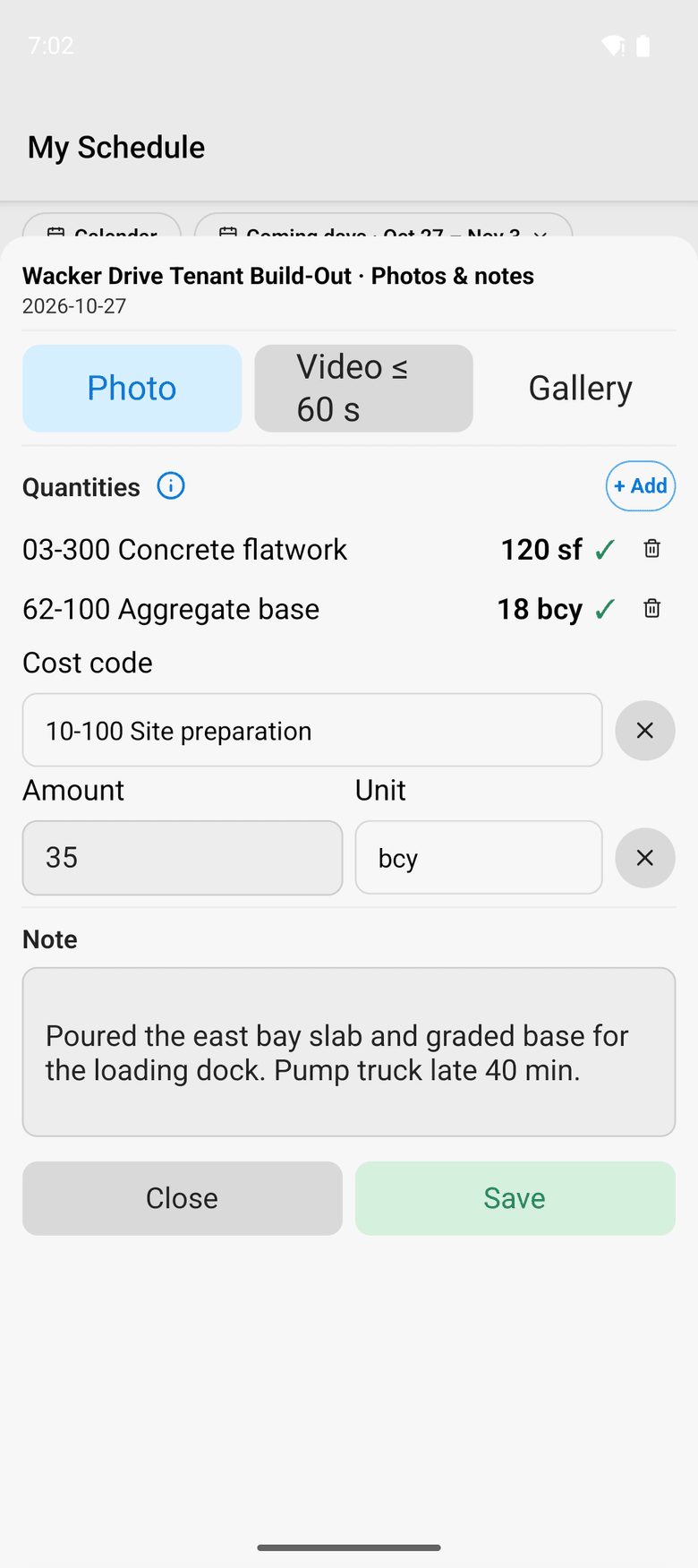
At a glance
Forms and daily logs in ControlBoard®
| Platforms | Web; the daily log in ControlBoard Field for iPhone and Android |
|---|---|
| What it does | Form builder, permits, the hazard library and the daily log for each job-day |
| Who uses it | Safety managers, foremen and project managers |
| Works with | Messages and the schedule: a form travels as a link |
Updated
Questions people ask about forms and daily logs
Common questions
Can we build our own safety forms in ControlBoard?
How do permits work in ControlBoard?
What goes into a ControlBoard daily log?
Can the ControlBoard assistant turn a paper form into a form?
More of ControlBoard
Scheduling
Labor, crews, equipment, subcontractors and material on one board, against each job's needs.
Dispatch and the field
The schedule to every phone by text, email or app, replies on the job's thread, trips and moves.
Time and payroll
Punch or type hours, the foreman's crew sheet, the office week, approve and lock, the payroll file.
Job cost
Budget, cost to date, committed, scheduled, cost to complete and projected final, by cost code.
Labor planning
Forecast hours and heads per job, the company labor plan, plan health and the booklet.
Equipment and compliance
Licenses and certifications, service plans, GPS, rentals with return due, and the tool crib.
Project management
RFIs and submittals with ball in court, job documents, and My PM work across every job.
Bid to schedule
HeavyBid, B2W or Excel bid in, lines mapped to work packages, budget and needs built in one step.
Assistant
Answers from the help and your company's data, a brief for each screen, and forms from paper.