

Equipment and compliance
No expired card on a job, no idle iron on rent
What you decide with it
Decisions you make with it, not after it
Which rental to send back
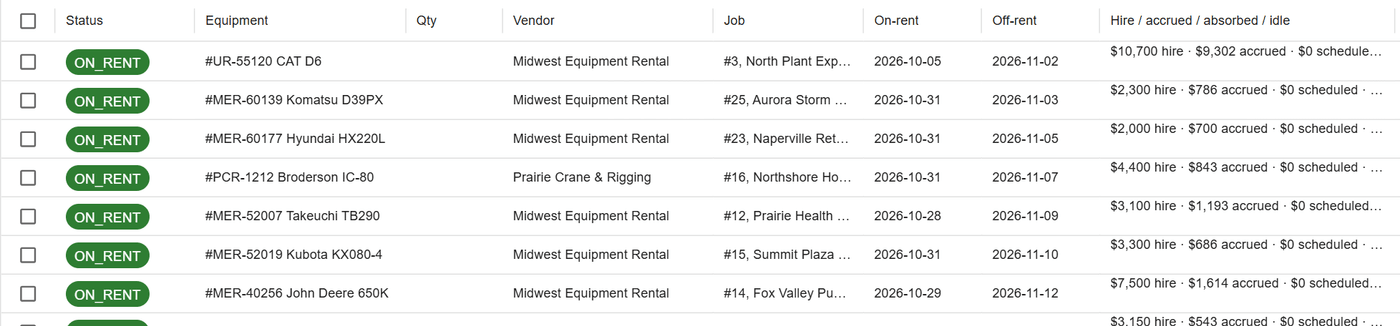
Rentals due back within two weeks or past their off-rent date are listed together, with the hire and idle cost on each. A return becomes a move in one step.
Which machine is where
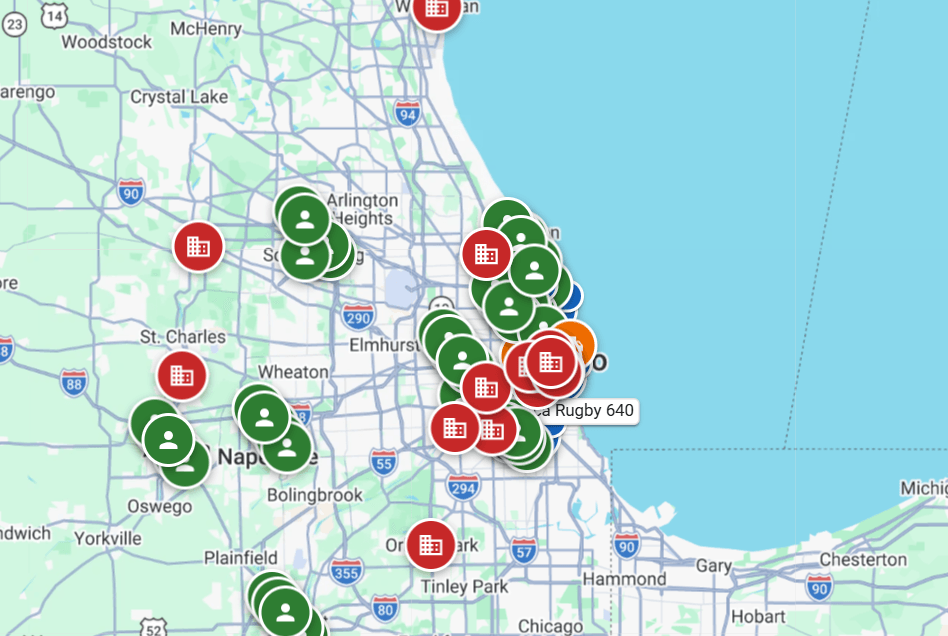
With Samsara connected, machines report position and engine hours. The office sees which are at their job, near it or away, and counts idle rental days from engine hours.
Who holds which tool
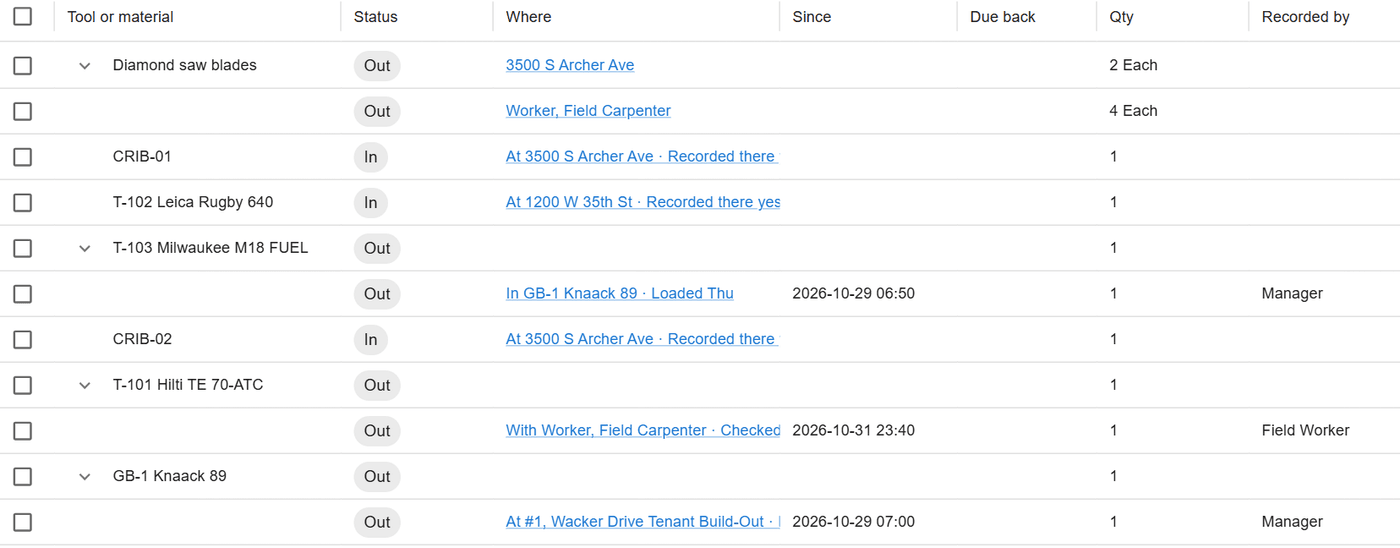
The tool crib shows every tool with a person, on a job, in a truck or at a yard. Field requests, counts and losses wait for the office in one place.
How it works
How it works
Qualifications with proof
Licenses, certifications and inspections are held by people, crews, equipment and subcontractors, each with dates, a certificate and its history. A lapsed one shows red and no longer matches needs.
Notices before expiry
The people you choose get one summary by email and in the app at each notice point: by default 60, 30 and 7 days before, and on the day. Jobs at risk from a lapsed card are listed.
Service plans by calendar or meter
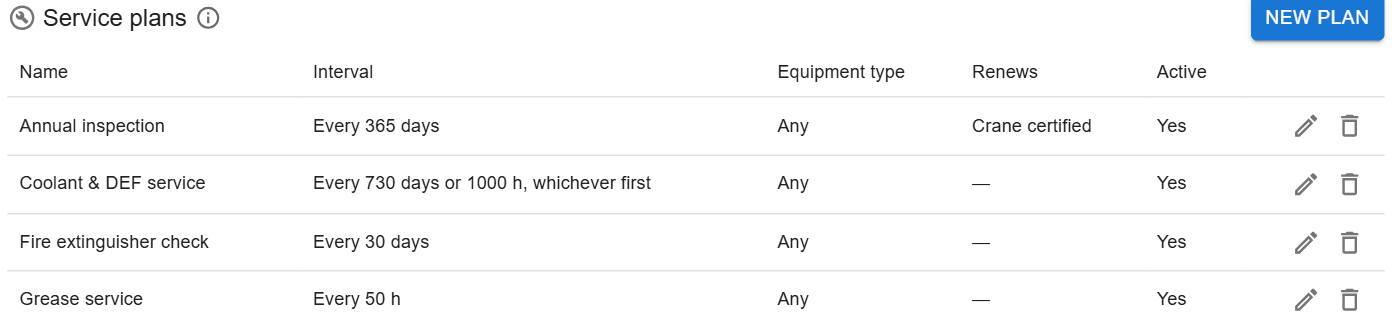
Each machine follows service plans that come due by days, by meter units, or both. Due service shows on the compliance list, and each service recorded stays in the machine’s history.
Rentals and the tool crib
Rental agreements carry their dates, rate and fees, and hire builds up day by day. The tool crib tracks checkouts, field requests and counts, and losses wait for the office to accept.
In the field
Tools from the phone
Workers see what they hold, take a tool or scan its tag, ask the crib for what they need, and count a truck or a job by scanning.
About ControlBoard Field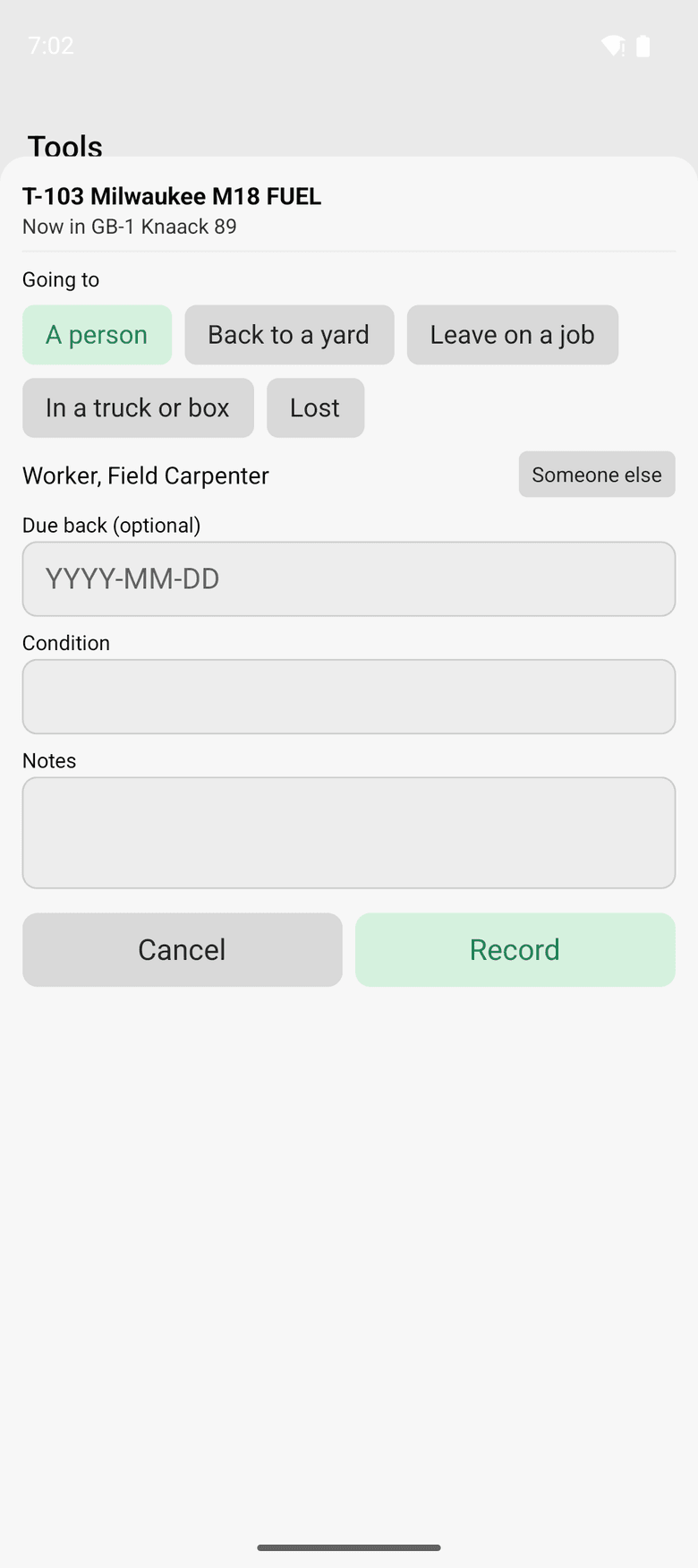
At a glance
Equipment and compliance in ControlBoard®
| Platforms | Web; ControlBoard Field for iPhone and Android |
|---|---|
| What it does | Qualifications and expiries, service plans, GPS, rentals with return due, and the tool crib |
| Who uses it | Equipment managers, safety managers and dispatchers |
| Works with | Samsara, Cat VisionLink, Komatsu, John Deere and Verizon Connect |
Updated
“Great for scheduling manpower, equipment, crews to particular jobsites or projects.”
Easier than a white board and it keeps history of what happened. Allows you to see what resources are available in the future and where all resources are at any time. You can do better planning which makes better use of resources and saves you money. Keeps track of rental equipment so you know when rental period is coming due.
Capterra review, 02/23/2016
It stays in step with
Questions people ask about equipment and compliance
Common questions
Can ControlBoard stop us scheduling someone without the right license?
How does ControlBoard track equipment rentals?
Which telematics systems does ControlBoard connect to?
Does ControlBoard track equipment service?
More of ControlBoard
Scheduling
Labor, crews, equipment, subcontractors and material on one board, against each job's needs.
Dispatch and the field
The schedule to every phone by text, email or app, replies on the job's thread, trips and moves.
Time and payroll
Punch or type hours, the foreman's crew sheet, the office week, approve and lock, the payroll file.
Job cost
Budget, cost to date, committed, scheduled, cost to complete and projected final, by cost code.
Labor planning
Forecast hours and heads per job, the company labor plan, plan health and the booklet.
Forms and daily logs
Your own forms and permits, the hazard library, and a daily log for every job-day.
Project management
RFIs and submittals with ball in court, job documents, and My PM work across every job.
Bid to schedule
HeavyBid, B2W or Excel bid in, lines mapped to work packages, budget and needs built in one step.
Assistant
Answers from the help and your company's data, a brief for each screen, and forms from paper.