

Dispatch and the field
Tell the field once, and hear back on the same thread
What you decide with it
Decisions you make with it, not after it
What the field said back
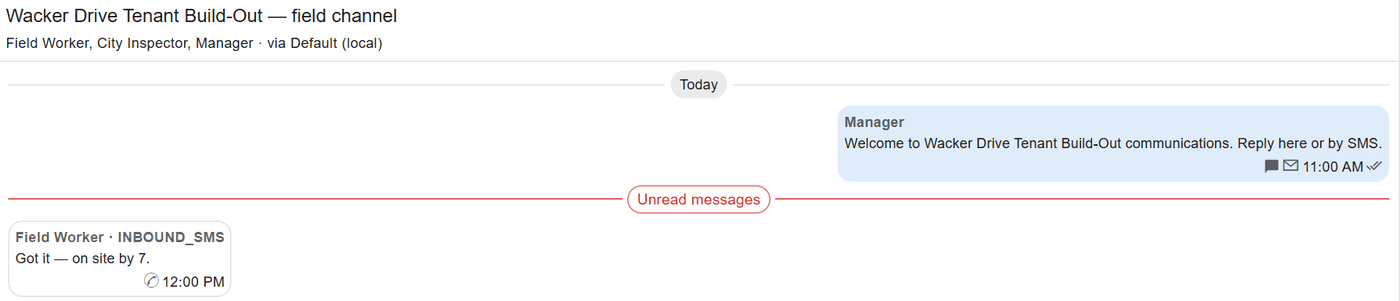
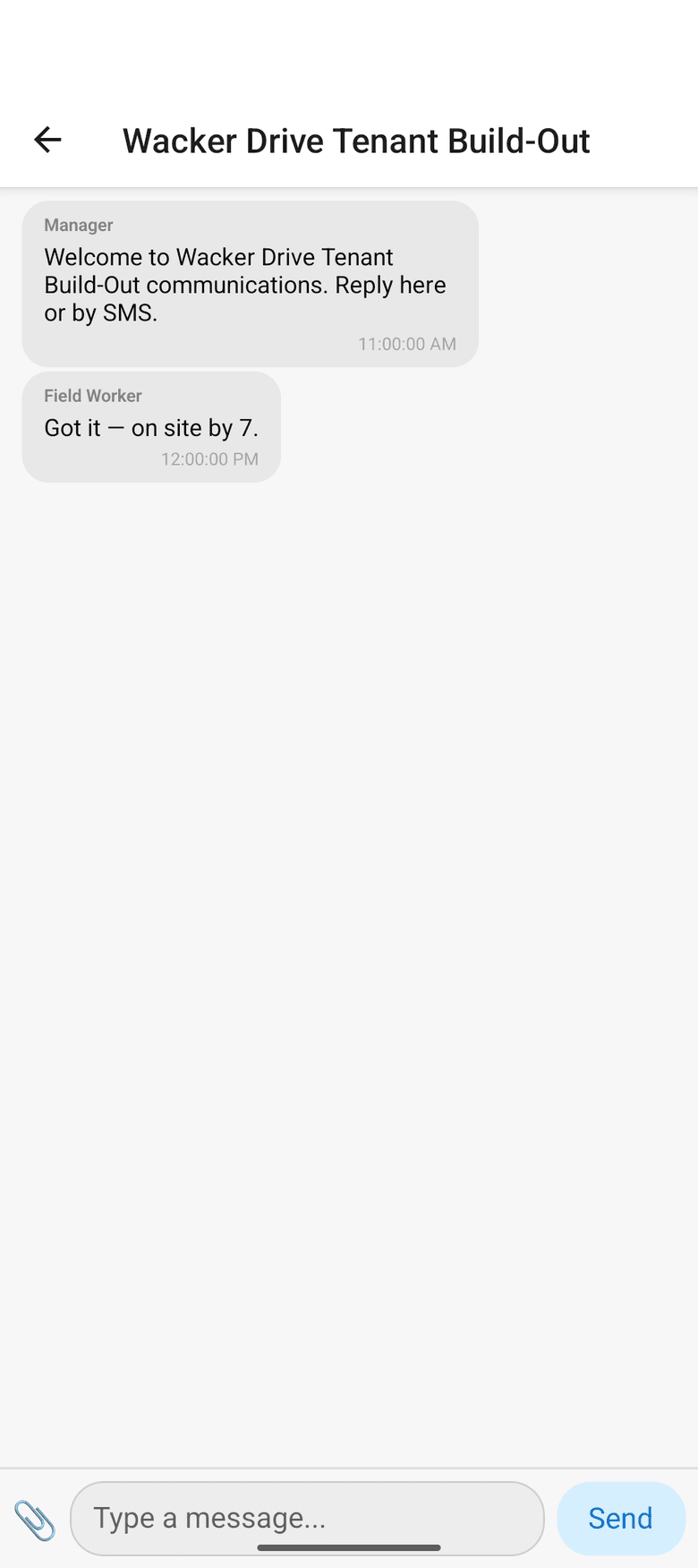
A reply to a text comes back into the conversation it answers. The office reads the field’s answers in one inbox, by job, instead of on five phones.

When the iron has to arrive
A move says what goes where and by when. A trip groups moves under a driver and a rig, with stops and tasks such as a fuel stop or an inspection.
Where the work is today
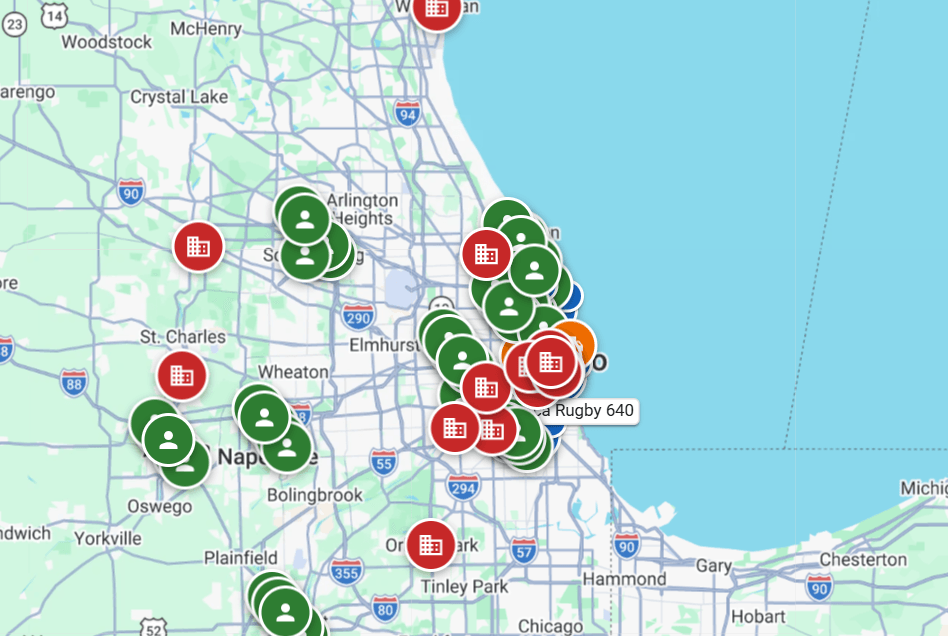
The map shows running jobs and who is scheduled on them. With GPS connected, the office confirms a move the GPS already saw instead of calling the yard.
How it works
How it works
Take the call, dispatch it by the hour
Daily dispatch shows one day by the hour: who starts where, and when. A call becomes a ticket without leaving the page, a short job with the customer, the address and a time window; drag it onto a technician’s lane and send.
Send it in one step
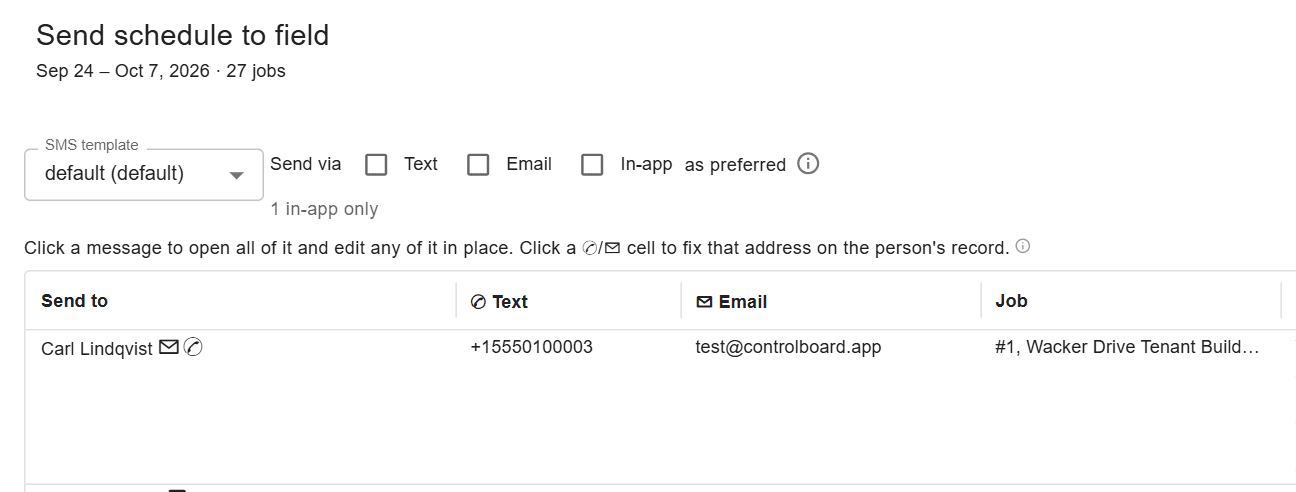
The send lists one row per person and job, with the message each will get. What goes out is what is on screen, and a note afterwards says who was reached and how.
Hear back on the thread
Replies by text, email or the app come back into ControlBoard. Channels carry group conversations, and a message can carry documents or a form to fill.
Move equipment and material
Moves and trips get machines and material where they are needed by a deadline. A rental’s return becomes a move, and each stop can carry tasks for the driver.
In the field
ControlBoard Field, with or without a signal
Each person sees their jobs, who else is on them and the directions, messages the office, and adds photos and notes. Work saved without a signal stays on the phone and goes when the signal returns.
About ControlBoard Field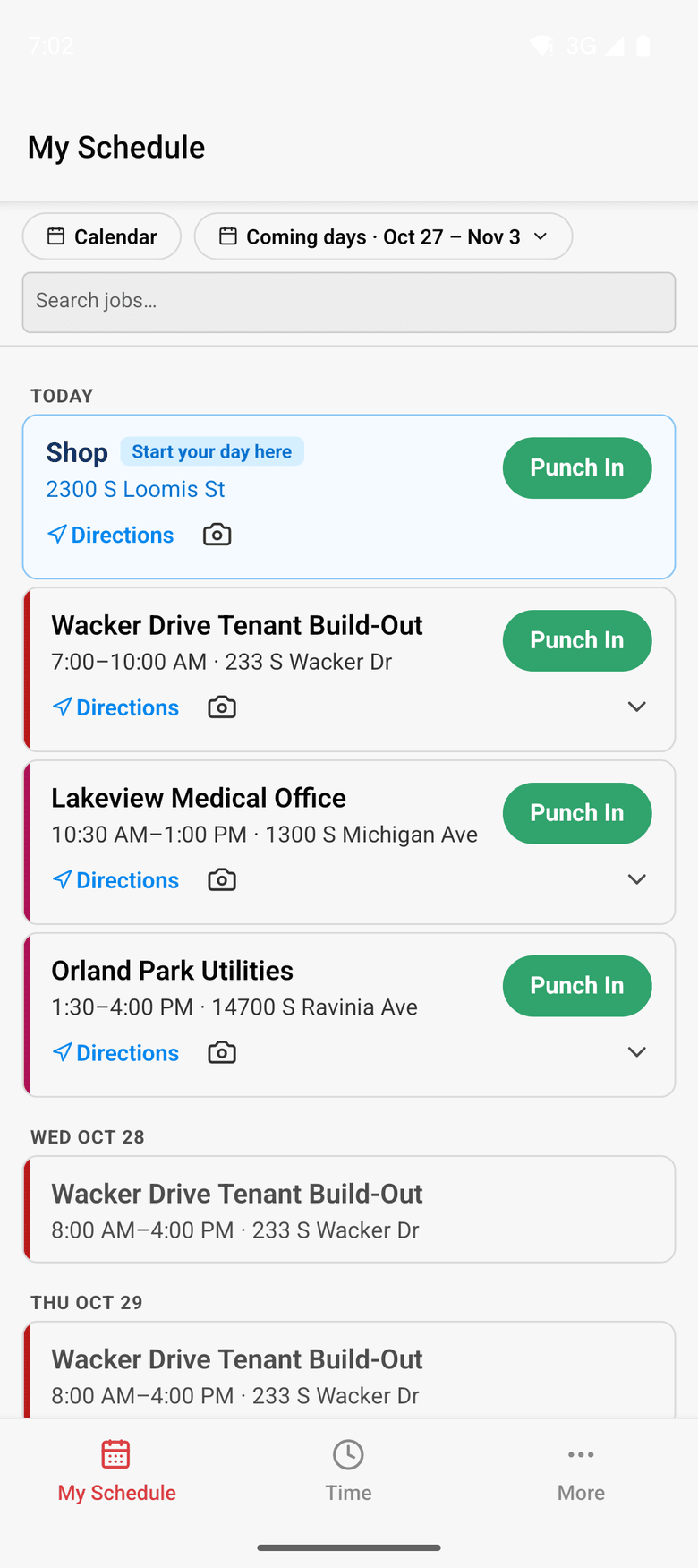
At a glance
Dispatch and the field in ControlBoard®
| Platforms | Web; ControlBoard Field for iPhone and Android |
|---|---|
| What it does | Sends the schedule by text, email or app, keeps two-way threads, plans trips and moves |
| Who uses it | Dispatchers, schedulers and every person in the field |
| Works with | Samsara GPS for moves; your own Gmail or Microsoft 365 mailbox for email |
Updated
“Everyday User”
Providing lots of information to my guys in the field, address, job number, start time, contacts, and being able to transfer to their mobile device almost instantly. I also enjoy the texting feature if I need to send an important message.
Capterra review, 03/04/2022
It stays in step with
Questions people ask about dispatch and the field
Common questions
How does ControlBoard send the schedule to the field?
Can the field reply to a text from ControlBoard?
Does ControlBoard Field work without a signal?
Can ControlBoard plan equipment moves and trips?
We are a service company. Can ControlBoard dispatch our calls?
More of ControlBoard
Scheduling
Labor, crews, equipment, subcontractors and material on one board, against each job's needs.
Time and payroll
Punch or type hours, the foreman's crew sheet, the office week, approve and lock, the payroll file.
Job cost
Budget, cost to date, committed, scheduled, cost to complete and projected final, by cost code.
Labor planning
Forecast hours and heads per job, the company labor plan, plan health and the booklet.
Equipment and compliance
Licenses and certifications, service plans, GPS, rentals with return due, and the tool crib.
Forms and daily logs
Your own forms and permits, the hazard library, and a daily log for every job-day.
Project management
RFIs and submittals with ball in court, job documents, and My PM work across every job.
Bid to schedule
HeavyBid, B2W or Excel bid in, lines mapped to work packages, budget and needs built in one step.
Assistant
Answers from the help and your company's data, a brief for each screen, and forms from paper.