

Assistant
Ask in plain words, and get the answer from your own data
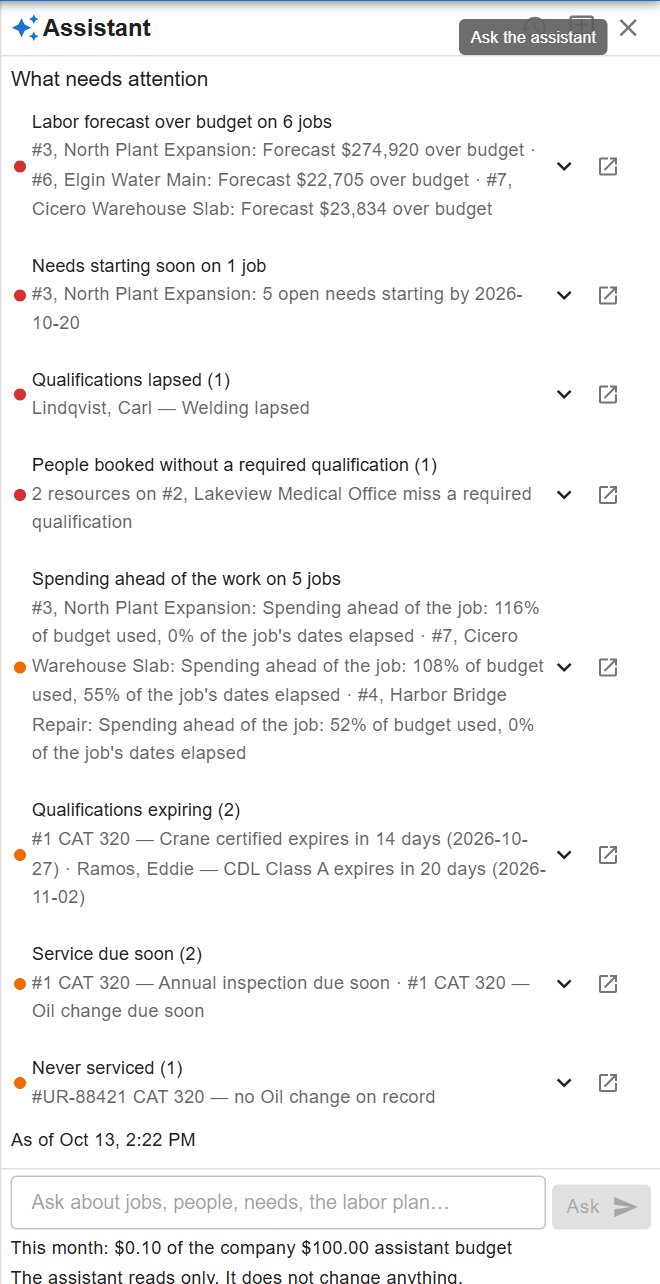
What you decide with it
Decisions you make with it, not after it
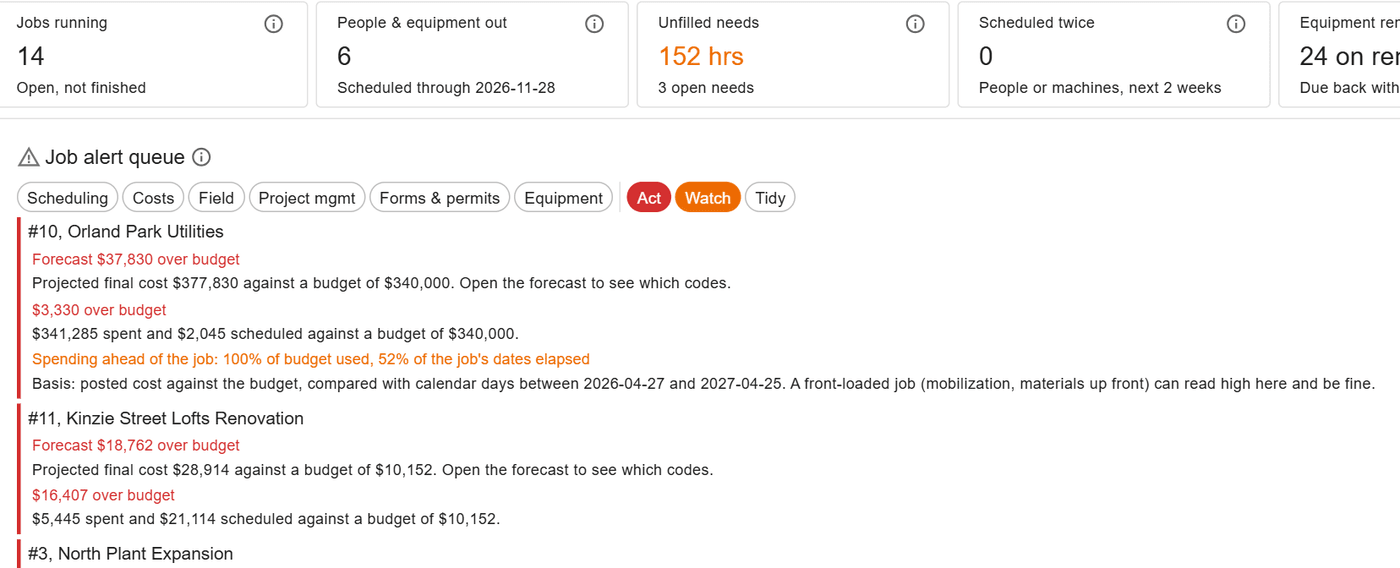
What needs attention first
Opened on a job, the board or the labor plan, the brief lists what needs attention there in a few lines, each opening the rows behind it.
An answer you can check
Questions about jobs, people and the schedule come back with the rows behind them, as a grid you can save, so an answer can be checked, not just trusted.
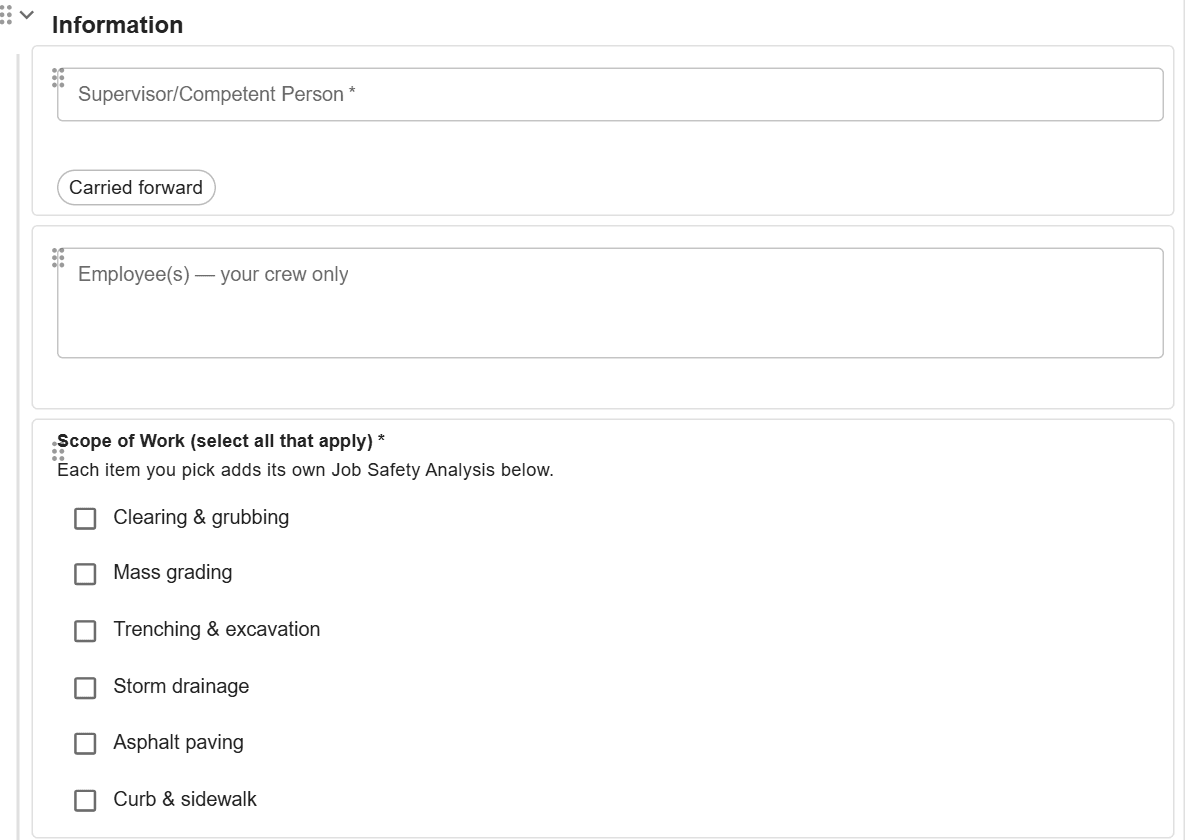
A form from the paper one
Attach a PDF of a paper form and the assistant drafts its questions into the form editor, where a person reviews them and saves.
How it works
How it works
Your administrator turns it on
The assistant stays hidden until an administrator saves your company’s own AI provider key, picks the model and accepts the data notice. Removing the key turns it off for everyone.
Your rules for what it reads
It reads everything the person asking can read, or only the modules you pick, and HR records only if you say so. It never reads more than the person asking can see.
Ask from any screen or the help
Ask from the screen you are on, or from the help search. Questions on how to do something are answered from the help; questions about your work, from your data.
Caps and usage you can see
Set a monthly cap for the company and for each person. People are warned at 80 percent of a cap, and usage shows the estimated cost by person.
Brief by design
The assistant is built to be short. It leads with what needs a decision, shows the rows an answer rests on, and leaves the change to a person on the screen that owns it.
At a glance
Assistant in ControlBoard®
| Platforms | Web |
|---|---|
| What it does | Answers from the help and your company’s data, a brief for each screen, and form drafts |
| Who uses it | Anyone your administrator gives it to |
| Works with | Your company’s own AI provider account |
Updated
Questions people ask about assistant
Common questions
What can I ask the ControlBoard assistant?
Can the ControlBoard assistant see data I am not allowed to see?
Where does our data go when we use the ControlBoard assistant?
Can outside AI tools connect to our ControlBoard data?
More of ControlBoard
Scheduling
Labor, crews, equipment, subcontractors and material on one board, against each job's needs.
Dispatch and the field
The schedule to every phone by text, email or app, replies on the job's thread, trips and moves.
Time and payroll
Punch or type hours, the foreman's crew sheet, the office week, approve and lock, the payroll file.
Job cost
Budget, cost to date, committed, scheduled, cost to complete and projected final, by cost code.
Labor planning
Forecast hours and heads per job, the company labor plan, plan health and the booklet.
Equipment and compliance
Licenses and certifications, service plans, GPS, rentals with return due, and the tool crib.
Forms and daily logs
Your own forms and permits, the hazard library, and a daily log for every job-day.
Project management
RFIs and submittals with ball in court, job documents, and My PM work across every job.
Bid to schedule
HeavyBid, B2W or Excel bid in, lines mapped to work packages, budget and needs built in one step.