


Service companies
Take the call, dispatch it by the hour, see it done
Sound familiar?
Calls on sticky notes, and the dispatcher is the only one who knows who is where.
A tech finishes early and nobody has the next call ready.
The customer signed a paper form that reaches the office next week.
Hours typed twice, and nobody knows what each call cost.
A day on ControlBoard
The day, from the yard to the pay week
7:00 AM
The day by the hour
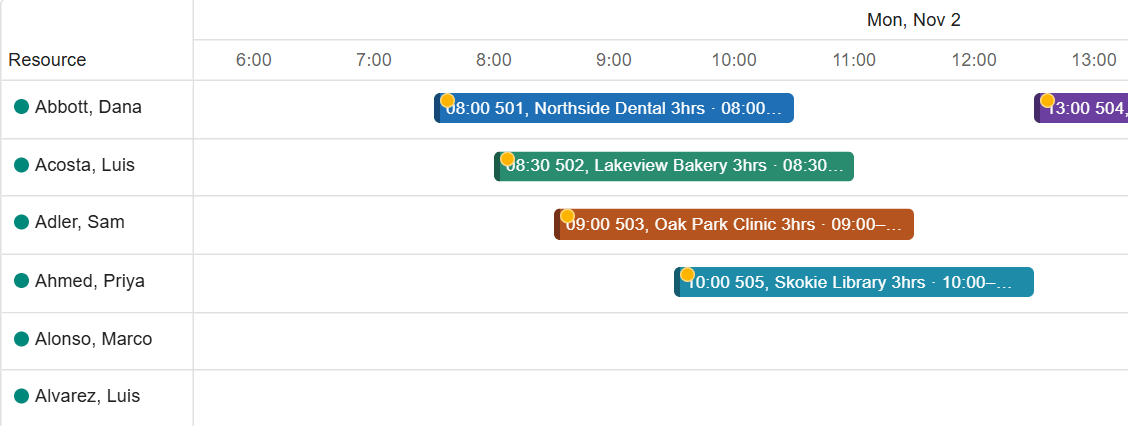
Daily dispatch shows each tech’s lane by the hour. Unassigned calls wait in the tray with their address; drag one onto a lane at the time it should start, and the day goes to every phone in one send.
9:40 AM
A call comes in
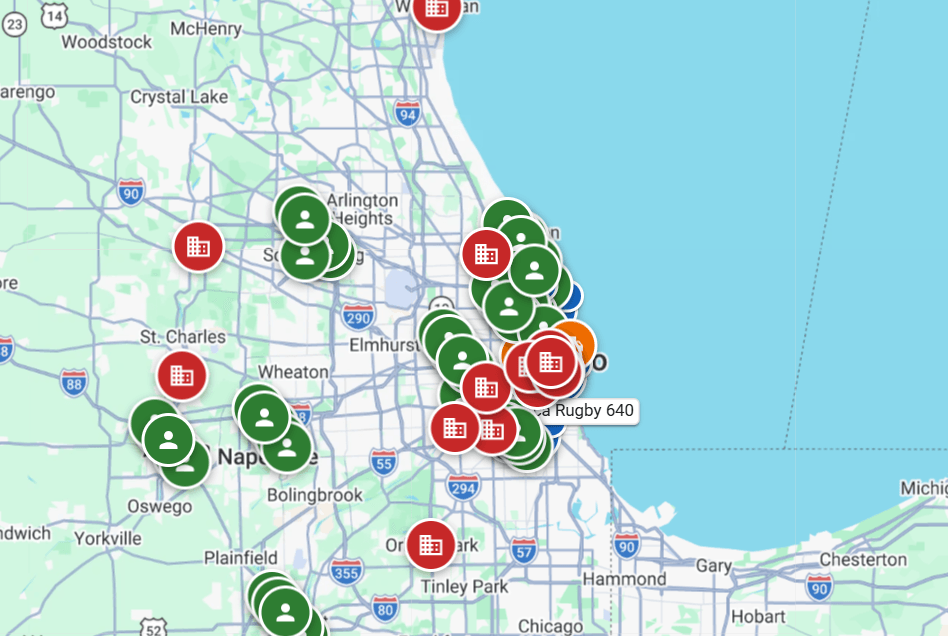
Take it as a ticket without leaving the page: the customer, the address, the job type and the window. Drop it on the nearest free tech, who sees it on the phone at once with directions.
1:15 PM
Done, signed, filed
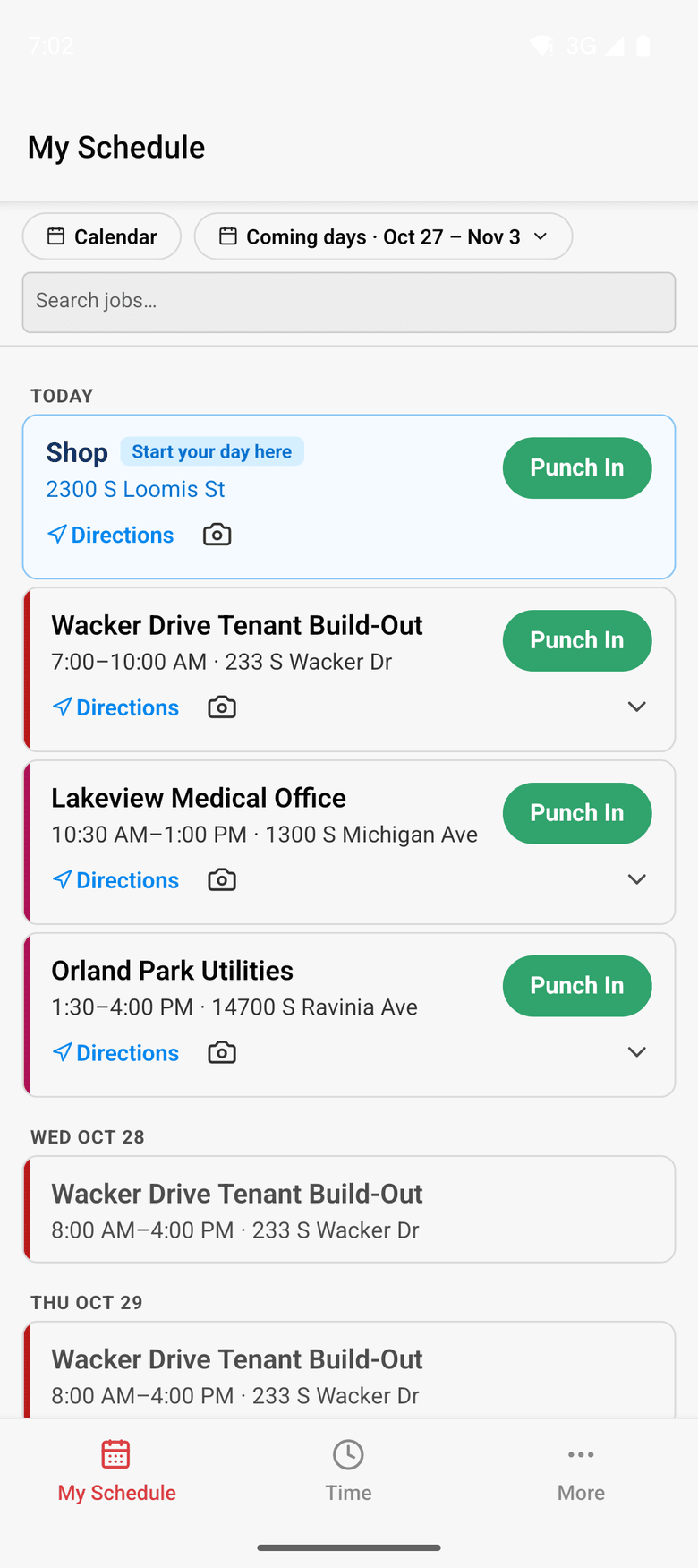
The tech punches in at the door, adds photos and notes, and has the customer sign the completion form from the link on the phone. It is filed on the job as a signed PDF.
Friday
Hours to payroll, cost per call
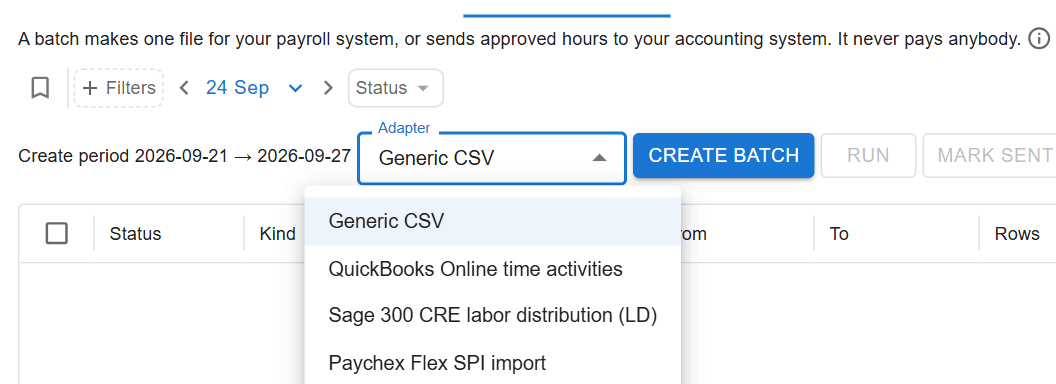
The office approves each tech’s week and hands payroll one file. With Complete, each ticket carries its own hours and cost, so you know what the call cost before you bill it from your accounting system.
Service companies on ControlBoard®
| A ticket is | A short job with a customer, an address, a job type and a time window |
|---|---|
| Dispatch | One day by the hour; drag a ticket onto a tech’s lane; one send to every phone |
| Field | ControlBoard Field for iPhone and Android; works offline |
| Price | Published, per person, from $4 a month |
| Who it is for | Mechanical and HVAC service, electrical service, plumbing, telecom, environmental and equipment service companies |
The parts you will use
- Dispatch and the field: The schedule to every phone by text, email or app, replies on the job's thread, trips and moves.
- Scheduling: Labor, crews, equipment, subcontractors and material on one board, against each job's needs.
- Time and payroll: Punch or type hours, the foreman's crew sheet, the office week, approve and lock, the payroll file.
- Forms and daily logs: Your own forms and permits, the hazard library, and a daily log for every job-day.
- Job cost: Budget, cost to date, committed, scheduled, cost to complete and projected final, by cost code.
“Everyday User”
Providing lots of information to my guys in the field, address, job number, start time, contacts, and being able to transfer to their mobile device almost instantly. I also enjoy the texting feature if I need to send an important message.
Capterra review, 03/04/2022